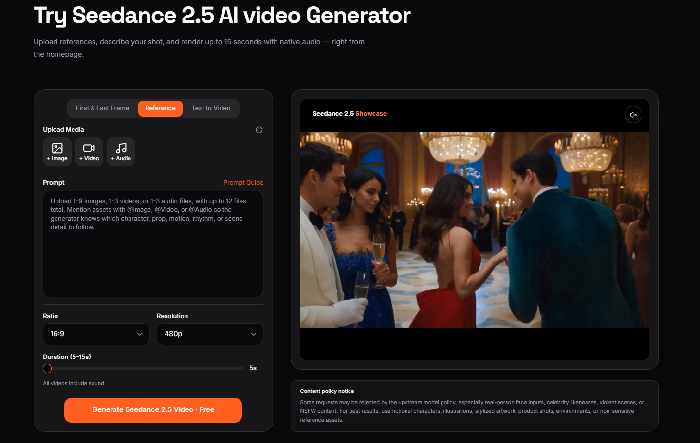
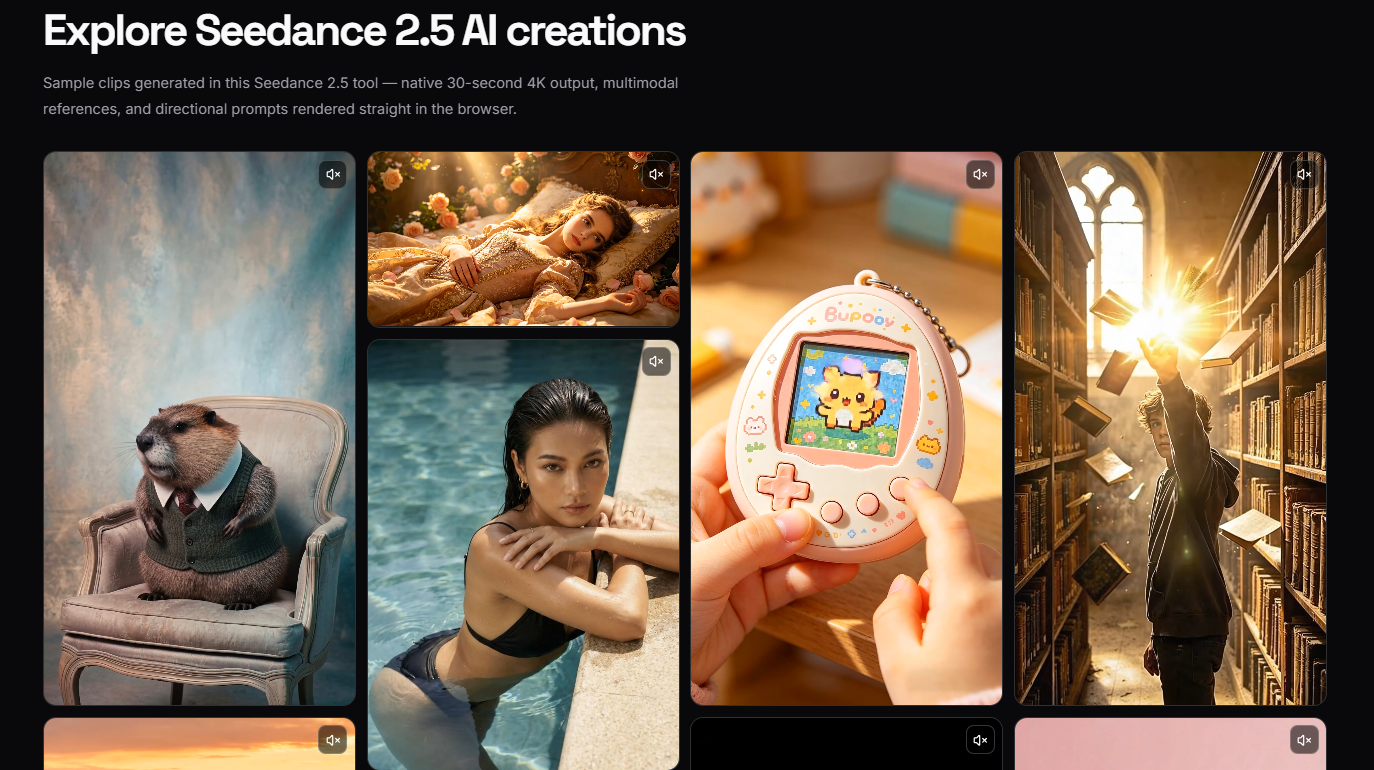
Seedance 2.5 emerges as a browser-based AI video generator designed for creators who need polished, longer-form video content without the complexity of traditional production pipelines. The platform promises native 30-second 4K clips generated in a single pass-no stitching multiple outputs together-while supporting up to 50 multimodal references in a single brief. For marketing teams, filmmakers, and solo creators who have wrestled with AI video tools that output choppy 4-second fragments, this extended runtime and unified workflow suggests a meaningful shift in what's possible with generative video.
The tool positions itself around practical production needs: character consistency across shots, camera movement control described in plain language, and the ability to feed in everything from text prompts to 3D blockouts as reference material. With free starter credits available and paid tiers starting at $9.90 for one-time credit packs, Seedance 2.5 appears designed to let users validate the output quality before committing significant resources.
Seedance 2.5 delivers several technical capabilities that distinguish it from shorter-form AI video generators:
30-Second Native Single-Clip Output: Unlike tools that require stitching together multiple 4-15 second generations, Seedance 2.5 generates full 30-second clips in one continuous render. The public site emphasizes this eliminates continuity drift between segments and maintains consistent focus, exposure, and motion blur from first frame to last.
Up to 50 Multimodal References: Users can attach text, images, audio, video, and 3D white-model blockouts to a single brief-tagged by role (character, location, motion style, color palette, blocking scaffold). This reference density aims to solve the character consistency problems that plague many AI video tools when attempting multi-shot sequences.
Native 4K Resolution: The platform outputs native 4K MP4 files across all paid tiers, with no upscaling pass required. Aspect ratios include 16:9, 9:16, 1:1, and 4:3.
3D Blockout Input: A distinctive feature allowing users to drop low-poly 3D scene blockouts (from Blender, C4D, SketchUp) as spatial references. The model uses this geometry as a camera and blocking scaffold, then fills in photorealistic lighting and detail.
Directional Camera Control: Seedance 2.5 reads directional language-phrases like "slow dolly in," "hold on the door," "push past camera at second 12"-and translates these into camera movement in the render.
Native Audio Sync: Audio generates co-processed with video rather than in a separate pass, including ambient tone, footsteps, and dialogue-friendly lip movement.
Post-Generation Adjustments: Users can trim segments, swap references, or push specific edits without re-rendering the entire clip from scratch.
The public site identifies four primary user groups where Seedance 2.5's capabilities address specific workflow pain points:
Marketing Teams Shipping Short-Form Social: A single 30-second Seedance 2.5 render matches the full unit length needed for TikTok, Reels, or YouTube Shorts-eliminating the extension jobs and continuity drift that come from stitching shorter clips. The site notes that five variants of one ad take "about as long as one variant used to."
Filmmakers and Pre-Visualization Artists: For directors and production teams, Seedance 2.5 offers pre-visualization capabilities where a 3D blockout pinned to the brief provides a real camera path and blocking scaffold. The 30-second runtime covers most pre-viz units in a single render, allowing iteration on shot lists before burning actual set time.
Brand and Content Teams Running Multi-Shot Campaigns: The reference system enables locking a brand character, supporting cast, location, props, and color palette in one brief-then re-running that same reference set across a campaign. The site suggests this solves the character drift problem where "the hero reads as the same face shot to shot."
Solo Creators and Indie Studios: Free credits cover trial runs, while paid tiers provide native 4K, the full 30-second cap, and commercial-use rights. The workflow aims to let individual creators generate, review, and publish without navigating external editors, render farms, or complex upload pipelines.
Seedance 2.5 operates on a credit-based system with one-time purchase packs-no subscriptions or recurring charges. Free starter credits are available upon signup.
Starter Pack - $9.90 / 99 Credits
Basic Pack - $29.90 / 370 Credits (Most Popular)
Plus Pack - $49.90 / 700 Credits
Professional Pack - $99.90 / 1,665 Credits
Credit Mechanics: Costs scale with duration, resolution, and reference attachments. A 4-second 1080p Standard clip costs 40 credits ($4 on Starter, $2.40 on Professional). A 30-second 4K clip costs 450 credits ($45 on Starter, $27 on Professional). The generator displays exact costs before submission.
Additional Guarantees: Credits never expire. All paid packs include commercial-use rights and watermark-free exports. A 7-day money-back guarantee applies to unused credits.
Seedance 2.5 emphasizes a browser-native workflow-no installation required, no waitlist, and account creation with immediate access to free starter credits. The public site describes a three-step generation process: write the brief, attach references (up to 50), and generate with preview before downloading the finished MP4.
Support options escalate by tier: Starter users receive email support, while Basic and above get priority email support, and Professional includes 24/7 priority support. The site also references a Prompt Guide and How To Use documentation for self-service learning.
A comparison page against Seedance 2.0 and other competitors (Kling, Veo, Wan, PixVerse) helps users understand when to select each version-suggesting Seedance 2.5 for jobs where length, reference density, or composition control matter, while recommending 2.0 for shorter cuts and rapid iteration.
Seedance 2.5 runs entirely in-browser, with all processing handled server-side. The technical architecture supports several production-oriented capabilities:
Reference File Formats:
Render Modes: Fast (quicker, lower cost) and Standard (higher fidelity) options allow users to trade render speed for quality depending on draft stage.
Resolution Tiers: 480p, 720p, 1080p, and native 4K, with costs scaling appropriately.
Prompt Adherence: The site claims roughly 20% better adherence to complex, multi-instruction briefs compared to Seedance 2.0, with style language and edit language translating more reliably to the render.
Payment Processing: All transactions run through Stripe, accepting Visa, Mastercard, American Express, Discover, and JCB.
Pros
Cons
Seedance 2.5 doubles native length to 30 seconds (from 2.0's 15 seconds), raises reference ceiling from 12 to 50, adds 3D blockout input, and claims roughly 20% better prompt adherence. The site recommends 2.5 for final deliverables requiring length and control, while 2.0 works well for rapid iteration on shorter cuts.
Yes. All paid packs include a commercial-use license covering ads, brand content, client deliverables, and paid social posts. Free starter credits produce watermarked outputs; paid credits generate clean, watermark-free MP4s.
Output counts vary by resolution and duration. A 4-second 1080p Standard clip costs 40 credits. On the Starter pack ($9.90 / 99 credits), this yields approximately 2 clips at 1080p or ~12 at 480p. On the Professional pack, the same 40-credit clip costs effectively $2.40. A full 30-second 4K clip costs 450 credits.
No. Credits stay on your account indefinitely until spent. There is no 30-day expiry window, quarterly reset, or "use it or lose it" policy. Users can purchase credits and spend them over the course of a year or longer.
Seedance 2.5 accepts images (jpeg, png, webp, bmp, tiff, gif), video (mp4, mov), audio (mp3, wav), and 3D white-model blockouts. Images are limited to 9 files under 10MB each; video to 3 files totaling 2-15 seconds under 50MB; audio to 3 files totaling 2-15 seconds under 10MB.
Yes. Free starter credits are available when you sign up on the main site-enough to render a few short clips and evaluate how Seedance 2.5 handles your specific briefs before purchasing credits.
Seedance 2.5 offers a 7-day money-back guarantee. Email support within 7 days of purchase for a refund on unused credits. See the full Refund Policy linked in the footer for details.
Yes. Seedance 2.5 supports post-generation adjustments including trimming segments, swapping references, and pushing specific edits without re-rendering the entire clip from scratch-though the extent of editable elements depends on the specific change requested.
Seedance 2.5 addresses a genuine gap in the AI video generation landscape: the ability to produce coherent, longer-form clips with meaningful production control. The 30-second native runtime, 50-reference capacity, and 3D blockout integration suggest a tool designed by people who understand the frustrations of existing AI video workflows-particularly around character consistency and shot-to-shot continuity.
The credit-based pricing with non-expiring credits and clear commercial rights makes financial sense for project-based work, though users generating high volumes of 4K content will want to calculate costs carefully against the Professional tier's better per-credit rate. The presence of free starter credits and a 7-day refund policy reduces the risk of evaluation.
For marketing teams needing social ad variants, filmmakers pre-visualizing scenes, and creators seeking character-locked campaign content, Seedance 2.5 presents a capable option worth testing. The browser-based workflow eliminates infrastructure friction, while the directional camera control and post-generation editing suggest a maturity in the product's approach to actual production needs. As with any AI video tool, users should validate output quality against their specific use cases during the free trial before scaling up credit purchases.

Kamrul Agarwal

Discover the Best AI Tools & SaaS Solutions

Build Trust with DR Checker

The One Startup : Navigate. Build. Grow.
Get your brand featured here
Discover similar products in the same category

All-in-one toolkit: calculator, converter, compass, flashlight, notes, random generator – offline, c

Seed Audio 1.0 is ByteDance Seed's all-in-one audio generation model for creating complete sound sce