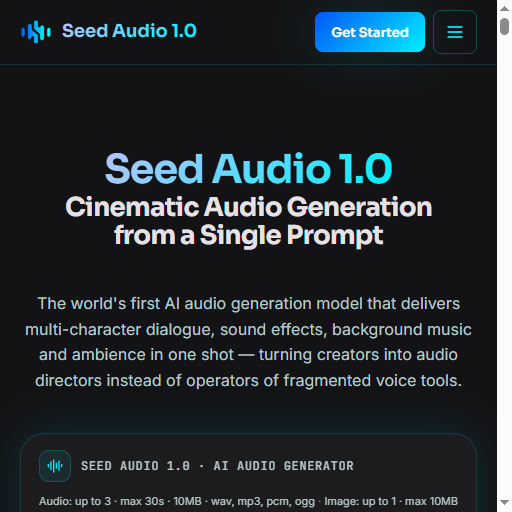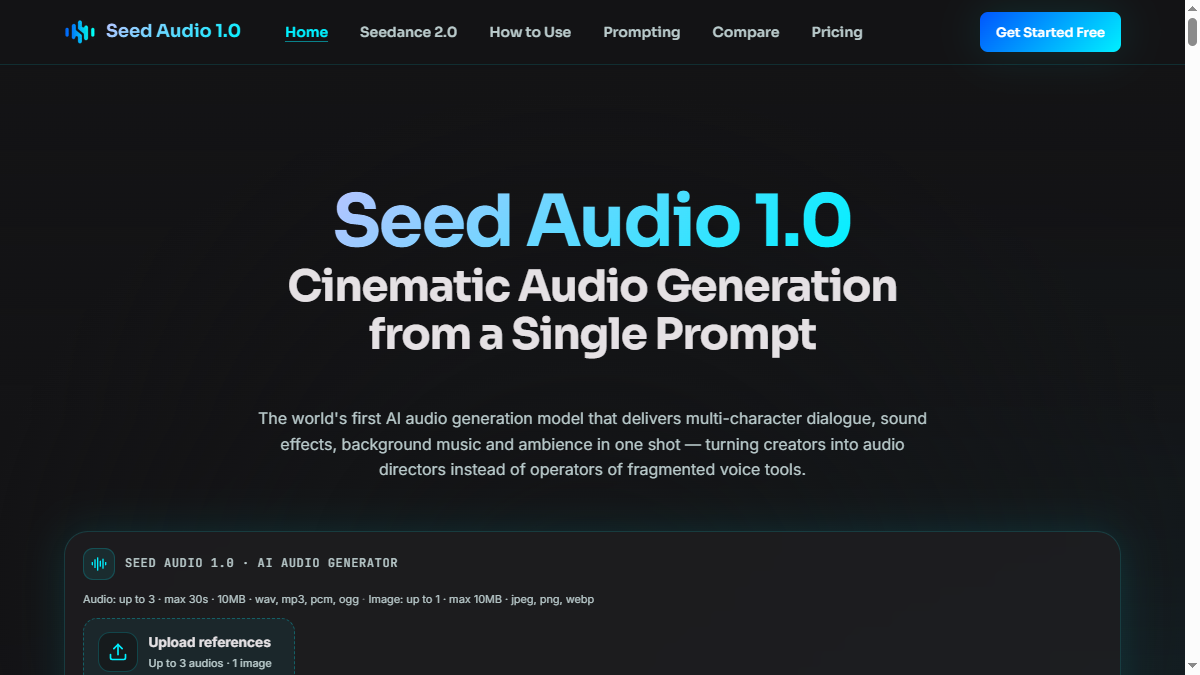


Seed Audio 1.0 is an AI-powered audio generation model that transforms a single text prompt into fully-mixed, broadcast-ready audio productions. Unlike traditional text-to-speech systems that deliver flat, single-voice narration, Seed Audio 1.0 generates multi-character dialogue, sound effects, background music, and ambience in one pass-positioning creators as audio directors rather than operators of fragmented voice tools.
The platform targets podcasters, audiobook producers, game developers, advertisers, and content creators who need professional audio without traditional studio workflows. By combining voice synthesis, sound design, and music generation into a unified model, Seed Audio 1.0 aims to eliminate the need for separate tools and complex post-production.
Seed Audio 1.0 appears designed for radio drama and audiobook production, where the ability to generate multi-character dialogue with consistent voices across long-form content addresses a major pain point in serialized audio storytelling. The continuation mode-allowing extension of generated audio while preserving voice characteristics-suggests particular utility for book-length productions.
Podcasters can leverage the multi-host conversation generation with natural turn-taking and non-verbal expressions. The platform claims to maintain voice consistency across 30-minute episodes, which would suit interview-style shows and co-hosted content where host chemistry matters.
Video creators working on TikTok, YouTube, and Reels may find value in the quick audio generation for dubbed content. The multi-modal input allows matching voice characteristics to on-screen talent through reference audio or images.
Game developers and XR creators can generate immersive soundscapes-typing scene descriptions like "footsteps from the deck into the cabin, glass of whiskey poured" to produce spatial, layered ambience without manual SFX library curation.
Advertising and marketing teams can produce brand audio spots from natural language descriptions, potentially bypassing studio booking, voice casting, and post-production timelines.
Personal use cases include creating AI voice companions that can tell stories, run meditation sessions, or sing in a user's own cloned voice.
Seed Audio 1.0 uses a one-time credit purchase model rather than subscriptions:
Free: $0 forever with 12 credits (approximately 1 generation). Includes full model access, up to 60 seconds per generation, 2-character dialogue, text-only input, audio watermark, community support, and 1-hour saved audio storage.
Basic: $9.90 one-time for 800 credits (approximately 66 generations). Adds up to 2-minute generations, continuation mode up to 10 minutes, 4-character dialogue, voice cloning for 3 saved voices, text + reference-audio input, no watermark, full commercial rights, email support, and 50-hour storage.
Pro: $29.90 one-time for 3,000 credits (approximately 250 generations). Most popular tier. Adds continuation up to 60 minutes, 8-character dialogue, voice cloning for 20 voices, multi-modal input (text + audio + image), 48khz studio output, priority queue, 3 team seats, priority email support, and unlimited storage.
Business: $49.90 one-time for 6,000 credits (approximately 500 generations). Adds unlimited continuation, unlimited multi-character dialogue, unlimited saved voices, 10 team seats, dedicated customer success manager, SSO/SAML, and custom voice fine-tuning on request.
Enterprise: Custom pricing for studios needing more than 6,000 credits, unlimited team seats, custom voice fine-tuning, on-premise deployment, or white-label API options.
All plans include the same core model quality-higher tiers unlock more features and capacity, not better audio fidelity. Each generation costs 12 credits regardless of length or complexity. Paid plans include 7-day refund window.
The workflow follows three steps: write a prompt describing scene, mood, and characters; optionally upload reference audio for voice cloning or images for tonal guidance; then generate and download the finished audio file. The interface includes a prompt editor with character count (up to 2,048 characters) and adjustable parameters for pitch, speed, volume, and output rate.
Users can upload up to 3 audio references and 1 image per generation. Generated audio can be previewed before download. The platform offers templates for common scenarios-sports commentary, educational dialogue, thriller radio dramas, and travel podcasts-to help users learn effective prompting.
Support tiers escalate with plan level: community support for Free, email for Basic, priority email for Pro, and dedicated customer success manager for Business. The site claims response times under 1 business day for sales inquiries. A full prompting guide is available to help users craft effective scene descriptions.
Data privacy policies state that uploaded references, generated outputs, and saved voice models remain private to the account by default, with no use for training shared models without explicit opt-in.
Seed Audio 1.0 operates as a web-based AI audio generation service. The underlying model processes text prompts through what appears to be a multimodal architecture capable of understanding scene descriptions, character definitions, and emotional tone to generate layered audio outputs.
Technical Specifications:
Enterprise Features:
The platform pairs with Seedance 2.0 (the provider's video generation tool) for synchronized audio-visual content creation, suggesting API-level integration between the products.
Pros
Cons
Seed Audio 1.0 is an AI audio generation model that creates fully-mixed audio productions-including multi-character dialogue, sound effects, music, and ambience-from a single text prompt. Unlike traditional TTS systems that read scripts in one flat voice, Seed Audio 1.0 generates complete scenes with multiple voices, environmental audio, and background music already mixed and time-aligned.
The platform targets radio drama producers, audiobook creators, podcasters, video creators needing dubbed content, game developers building immersive audio, advertisers creating brand spots, and individuals wanting personal AI voice companions. The continuation mode and voice consistency features suggest particular appeal for long-form audio storytelling.
Each generation costs 12 credits regardless of length or complexity. Credits are purchased one-time (not subscription-based) and remain in the account until used. The Free plan includes 12 credits for approximately 1 generation. Paid plans offer 800-6,000+ credits with volume discounts at Enterprise level.
Free users get 12 credits (approximately 1 generation) with full model access, 60-second max length, 2-character dialogue, text-only input, and community support. Outputs carry an audio watermark and cannot be used commercially. Free tier serves evaluation purposes before purchasing credits.
Seed Audio 1.0 offers zero-shot voice cloning from uploaded reference audio. Voice slots scale with plan: 3 voices on Basic, 20 on Pro, unlimited on Business. The platform claims voices stay consistent across extended content through continuation mode, though users should verify this meets their quality standards for professional productions.
Yes, through continuation mode. While single generations max at 60 seconds (Free) or 2 minutes (paid tiers), Pro users can extend up to 60 minutes continuously, and Business users have unlimited continuation. This preserves voice characteristics and scene consistency across long-form content like audiobooks or podcast episodes.
Seed Audio 1.0 presents an ambitious approach to AI audio generation by combining multiple production steps-voice casting, dialogue recording, sound design, music composition, and mixing-into a single model accessible through natural language prompts. For creators currently juggling separate tools for TTS, SFX libraries, and music beds, the unified workflow promises significant time savings.
The one-time credit pricing model differentiates Seed Audio from subscription competitors, though users should calculate whether credit costs align with their production volume. The voice cloning and continuation capabilities address genuine pain points in long-form audio production, but quality-sensitive professionals will want to validate output against their standards before committing to larger credit purchases. As the first commercial entrant in multimodal audio generation, Seed Audio 1.0 is worth evaluation for any creator looking to streamline their audio production pipeline.
Giang Taira

Build Trust with DR Checker
The One Startup : Navigate. Build. Grow.
Discover the Best AI Tools & SaaS Solutions

Get your brand featured here
Discover similar products in the same category

Invisible desktop teleprompter for screen sharing, recordings, Zoom calls, and live demos.

## Introduction Honeyb is AI visibility software built for Answer Engine Optimization - the practice of monitoring and improving how brands appear in AI-generated answers. The platform tracks brand mentions, recommendation share, sentiment, and citation sources across eight AI engines (ChatGPT, Gemini, Claude, Perplexity, Google AI Mode, Google AI Overviews, Microsoft Copilot, and Grok) and delivers daily visibility scores with weekly recommendations. The core insight on the site is direct: when a buyer asks an AI for the best tool or vendor, the answer is a shortlist of three to five names, and there is no second page to climb. Honeyb gives marketing teams a way to see which shortlist they are on - and which ones they are not. ## Key Features - **AI Visibility Score** - a daily percentage showing how often the brand appears in AI answers, tracked against competitors over 7-day, 30-day, and 90-day windows - **Topic Performance** - visibility broken down by topic category (e.g., project management, team collaboration), showing where the brand appears and where it does not - **Citation Source Tracking** - domain-level breakdown of which sources (G2, Forbes, Reddit, Product Hunt, etc.) the AI models cite when mentioning the brand - **Sentiment and Risk Monitoring** - tracks whether AI mentions are positive, neutral, or negative, and flags emerging risks - **Competitor Benchmarking** - compare visibility and recommendation share against named competitors in each workspace - **Honeyb Recommendations** - weekly actionable suggestions on content, sources, and PR moves, ranked by estimated impact - **Workspace Organization** - group tracking by brand, product line, audience, market, or language, with separate competitors and citations per workspace - **Free AI Visibility Check** - enter a domain and get an instant visibility report across AI platforms without signing up ## Use Cases SEO and content teams can use Honeyb to understand which topics and source citations drive AI recommendations in their category, then adjust their content and PR strategy to improve visibility. The citation source breakdown shows whether review sites, editorial coverage, or forum mentions are doing the most work - which directly informs where to invest outreach effort. PR and brand teams tracking reputation across AI engines can monitor sentiment and risk signals daily, catching negative mentions or competitive displacement early. Because AI answers are concise and influential - the site notes that AI typically returns three to five names - a brand that disappears from the shortlist effectively ceases to exist for that buyer query. Global brands operating across multiple markets and languages can use workspaces to track visibility per region or product line, with separate competitor sets and citation tracking for each. The Full Spectrum and Enterprise tiers support multi-brand, multi-market, and multi-language monitoring in a single account. ## Pricing Honeyb offers four tiers with monthly or annual billing (20% discount on annual): - **The Minimum** - $29/month: 10 prompts daily, 1 AI engine of choice, 1 workspace, 1 seat, competitor tracking, citation tracking, Honeyb Recommendations, weekly email report, email support (no free trial) - **Multi-Model** - $79/month: 50 prompts daily, 3 engines of choice, up to 5 workspaces, unlimited seats, multi-brand/multi-market/multi-language tracking, 14-day free trial - **Full Spectrum** - $149/month: 100 prompts daily, all 8 engines (including Google AI Mode and AI Overviews), up to 10 workspaces, unlimited seats, monthly 30-minute visibility review with the Honeyb team, priority support, 14-day free trial - **Enterprise** - custom pricing: custom prompt volume (fair-use), all 8 engines plus new models on launch, unlimited workspaces and seats, custom prompt strategies built with the Honeyb team, white-label reporting, API access, SSO/SAML, audit logs, quarterly business review, dedicated account manager, dedicated Slack channel, priority onboarding The [pricing page](https://www.honeyb.ai/pricing) has full details and a plan-comparison table. ## User Experience and Support The dashboard centers on an AI Health Report with four panels: visibility score and trend, topic performance, top citation sources, and sentiment and risks. Users set up tracking in five steps: add prompts (the questions buyers ask), add competitors, choose AI models to track, view the daily visibility score, and act on weekly recommendations. Support varies by tier: email support on The Minimum and Multi-Model, priority support with monthly 30-minute reviews on Full Spectrum, and a dedicated Slack channel with account manager on Enterprise. All paid tiers above The Minimum include a 14-day free trial. The company is registered in Latvia (SIA Honeyb, Reg. Nr. 40203724531). ## Technical Details Honeyb runs as a web platform. It tracks eight AI engines: ChatGPT, Google AI Mode, Google AI Overviews, Microsoft Copilot, Perplexity, Gemini, Grok, and Claude. Workspaces organize tracking by brand, product line, audience, market, or language, with a minimum of 10 prompts per workspace. The Enterprise tier adds API access, SSO/SAML authentication, audit logs, and white-label reporting. The site mentions Slack integration for the Enterprise tier's dedicated channel. No browser extension or CMS plugin is listed. ## Pros and Cons **Pros** - Addresses a real gap: most marketing teams cannot see what AI models tell buyers about their brand - Tracks eight AI engines including Google AI Mode and AI Overviews, which are emerging search surfaces - Citation source breakdown shows exactly which external content drives AI recommendations - Workspace model supports multi-brand, multi-market, and multi-language tracking - Free visibility check requires no sign-up, lowering the barrier to first insight - Weekly recommendations turn monitoring data into actionable next steps **Cons** - The Minimum tier has no free trial, which may discourage testing at the entry level - Prompt-based tracking means users must define the questions to monitor; coverage depends on prompt quality - Pricing starts at $29/month for a single engine, which may feel steep for small brands testing one model - Enterprise pricing is not publicly listed ## FAQ ### What is Honeyb and what problem does it solve? Honeyb is AI visibility software for Answer Engine Optimization. It tracks how brands appear in AI-generated answers across ChatGPT, Gemini, Claude, Perplexity, and other AI engines. The problem it addresses: when buyers ask AI for recommendations, the answer is a shortlist of three to five names, and brands that do not appear effectively do not exist for that query. ### How does Honeyb differ from traditional SEO tools? Traditional SEO tools track rankings in search engine result pages with ten blue links. Honeyb tracks visibility in AI-generated answers, which return a small set of names rather than a ranked list. The site FAQ addresses this comparison directly. ### What is a workspace in Honeyb? A workspace is a grouping for tracking - one per brand, product line, audience, market, or language. Each workspace has its own competitors, citations, and recommendations. The minimum is 10 prompts per workspace. ### Does Honeyb offer a free trial? The Minimum tier does not include a free trial. Multi-Model, Full Spectrum, and Enterprise all include a 14-day free trial. There is also a free AI visibility check that does not require sign-up. ### What AI engines does Honeyb track? Honeyb tracks eight engines: ChatGPT, Google AI Mode, Google AI Overviews, Microsoft Copilot, Perplexity, Gemini, Grok, and Claude. The Minimum tier covers one engine, Multi-Model covers three, and Full Spectrum and Enterprise cover all eight. ### Can I switch tiers later? Yes. The site FAQ confirms that users can switch between tiers as their monitoring needs change. ## Conclusion Honeyb targets a problem that most marketing teams have not yet instrumented: understanding what AI models tell buyers about their brand. The daily visibility score, citation source breakdown, and weekly recommendations turn an invisible channel into a measurable one. The free visibility check is a practical entry point, and the workspace model scales from a single-engine monitor to multi-brand, multi-market tracking. For teams that want to see - and improve - their position in AI-generated answers, the [Honeyb site](https://www.honeyb.ai/) is the place to start.

## Introduction BizHire is an AI-powered recruitment platform built by BizWorkHQ that automates the hiring process from job description creation through candidate screening, scoring, and interview scheduling. The platform targets startups, small businesses, remote companies, and staffing agencies that want to reduce the manual overhead of reviewing resumes, coordinating interviews, and tracking applicants. BizHire is part of the broader BizWork suite, which also covers IT service management, CRM, HRMS, and accounts - but BizHire focuses specifically on the recruitment pipeline. The site emphasizes speed and bias reduction, claiming the AI can cut repetitive hiring tasks and help teams make data-backed decisions faster. ## Key Features - **AI Job Description Generation** - creates role-specific, bias-free job descriptions in seconds, optimized for search visibility and candidate appeal - **AI Resume Parsing** - uploads and extracts skills, experience, and education from multiple resumes instantly, eliminating manual data entry - **AI Candidate Scoring** - ranks applicants based on job fit and defined criteria, using AI to evaluate skills, experience, and cultural fit - **Smart Screening** - automatically matches candidate profiles to role requirements, reducing hours of manual resume review - **AI Interviewer** - conducts initial interviews via AI chat or video for structured, consistent candidate screening - **Candidate Relationship Management** - tracks applicant history, notes, and activity to maintain engagement and build a talent pipeline - **Custom Scorecards** - allows teams to define their own evaluation formats (stars, numeric, etc.) for different roles and agencies - **Candidate Talent Pool** - reuses pre-screened candidates from previous hiring cycles so teams do not start from scratch for each new role - **Multi-Platform Job Posting** - posts jobs across multiple platforms with one click, including LinkedIn, Facebook, Twitter, Indeed, Glassdoor, and ZipRecruiter - **Reporting & Analytics** - provides hiring dashboards, time-to-hire and cost-per-hire reports, recruiter performance metrics, and source/channel performance scoring ## Use Cases Startups with limited hiring bandwidth can use BizHire to automate resume screening and candidate shortlisting, freeing the founding team to focus on growth rather than paperwork. The AI-generated job descriptions and smart screening reduce the time spent on repetitive early-stage tasks. Small businesses that receive high volumes of applications but lack a dedicated HR team can rely on the AI scoring and automated interview scheduling to move candidates through the pipeline without manual coordination. The platform's custom scorecards help maintain consistency across different roles. Staffing agencies managing multiple clients and open positions simultaneously can use the candidate talent pool and multi-platform job posting features to source and screen candidates at scale. The ability to reuse pre-screened candidates across roles is particularly relevant for agencies that fill similar positions repeatedly. Remote companies hiring across time zones benefit from the AI interviewer and automated scheduling, which handle initial screening without requiring synchronous availability from recruiters and candidates. ## Pricing BizHire offers a 7-day free trial for new users. The site mentions flexible plans based on hiring needs, suitable for startups through enterprises, but does not list specific prices on the public pages. Users are directed to contact the team at notifications@bizworkhq.com for a custom quote or to visit the pricing page for details. The lack of public pricing means teams will need to engage with sales to evaluate cost fit. ## User Experience and Support The platform follows a structured hiring workflow: AI generates job descriptions, resumes are parsed and scored, candidates are screened automatically, and interviews are scheduled with calendar integration. BizHire integrates with Google Meet, Zoom, Slack, Google Calendar, and Outlook, which covers most common communication and scheduling tools. The site features a "Request a Demo" option, a blog with posts on hiring topics, and case studies. Support contacts include an email address (notifications@bizworkhq.com). The platform also offers role-based access control so different team members can collaborate securely within the hiring workflow. ## Technical Details BizHire runs as a cloud-based platform and integrates with popular ATS systems, HR tools, and CRM platforms. The specific AI architecture is not disclosed, but the platform uses AI for resume parsing, candidate scoring, interview automation, and feedback analysis. Job distribution spans LinkedIn, Facebook, Twitter, Indeed, Glassdoor, and ZipRecruiter. The broader BizWork suite includes ITSM, CRM, HRMS, and accounts modules, suggesting BizHire can operate as part of a larger workforce management system. The site mentions GDPR and EEOC compliance, though the specifics of their compliance certifications are not detailed on the public pages. ## Pros and Cons **Pros** - Covers the full recruitment pipeline from job description to onboarding in one platform - AI-driven screening and scoring can significantly reduce manual review time - Multi-platform job posting with one click broadens candidate reach - Integrations with Zoom, Slack, Google Calendar, and Outlook fit common team workflows - Candidate talent pool feature helps avoid restarting the hiring cycle for similar roles - Part of a broader office management suite for teams that need HR, ITSM, and CRM together **Cons** - No public pricing, so evaluating cost requires a sales conversation - Specific AI architecture and model details are not disclosed - Compliance claims (GDPR, EEOC) are mentioned but not substantiated with audit details - The breadth of features across the BizWork suite may be more than teams looking only for recruitment need - The site's "50% cost savings" and "40% task reduction" claims are not independently verified ## FAQ ### What is BizHire and what does it do? BizHire is an AI-powered recruitment platform by BizWorkHQ that automates the hiring process - from generating job descriptions and parsing resumes to scoring candidates and scheduling interviews. It is designed for startups, small businesses, remote companies, and staffing agencies. ### Can BizHire integrate with my existing ATS? The site states that BizHire integrates with most ATS and HR systems. Specific integrations mentioned include Google Meet, Zoom, Slack, Google Calendar, and Outlook. Teams with less common ATS setups should verify compatibility before committing. ### Is BizHire suitable for small businesses? Yes. The platform is built to scale and specifically addresses small business use cases on its site, including automated screening and shortlisting for teams with limited HR capacity. ### How does the AI candidate scoring work? BizHire's AI scores candidates based on qualifications, skills, and cultural fit according to criteria defined for each role. Custom scorecards allow teams to adjust the evaluation format. The site does not disclose the underlying AI model or scoring methodology. ### What does BizHire cost? BizHire offers a 7-day free trial. Beyond that, pricing is not publicly listed. The site encourages users to contact the team at notifications@bizworkhq.com for a custom quote based on their hiring needs. ### Does BizHire handle interview scheduling? Yes. The platform automates interview bookings and syncs with calendars (Google Calendar, Outlook) to eliminate back-and-forth scheduling. It also offers an AI Interviewer feature that conducts initial screening interviews via chat or video. ### Is BizHire's hiring process compliant with fair hiring laws? The site mentions compliance with GDPR and EEOC and states that the AI is designed to reduce bias in screening and scoring. Organizations with specific compliance requirements should request documentation from the BizHire team to verify the details. ## Conclusion BizHire offers a feature-rich AI recruitment platform that covers the full hiring lifecycle from job posting to onboarding, with particularly strong automation around resume parsing, candidate scoring, and interview scheduling. The integrations with common tools like Zoom, Slack, and major job boards make it practical for teams already using those platforms. The main considerations are the absence of public pricing, the undisclosed AI methodology, and compliance claims that would need verification for regulated industries. For startups and small businesses looking to automate repetitive hiring tasks, BizHire's [7-day free trial](https://www.bizworkhq.com/ai-recruitment-software) is a reasonable starting point.