Beat artist's block instantly with randomized, multi-category drawing prompts and AI inspiration.
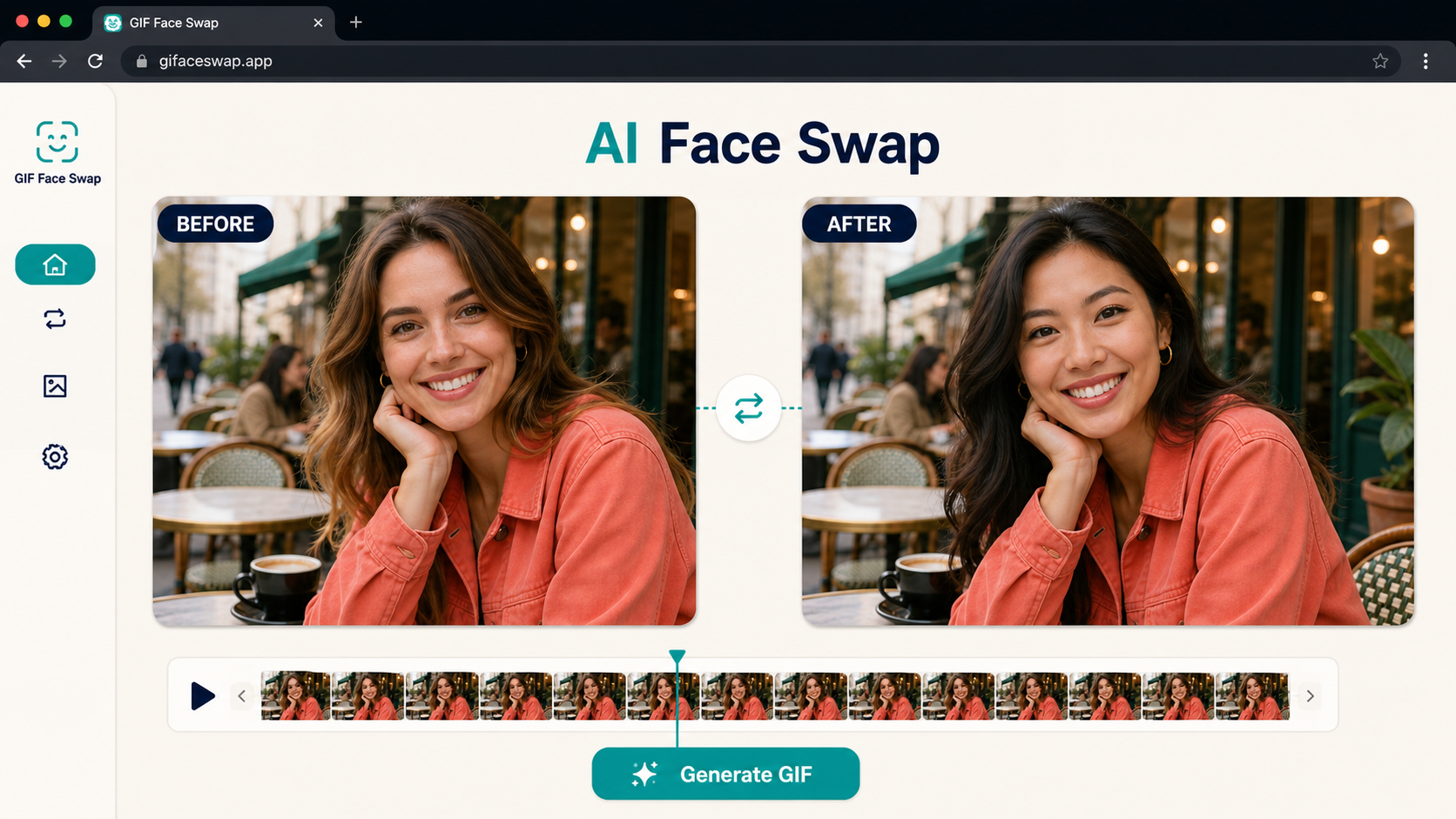
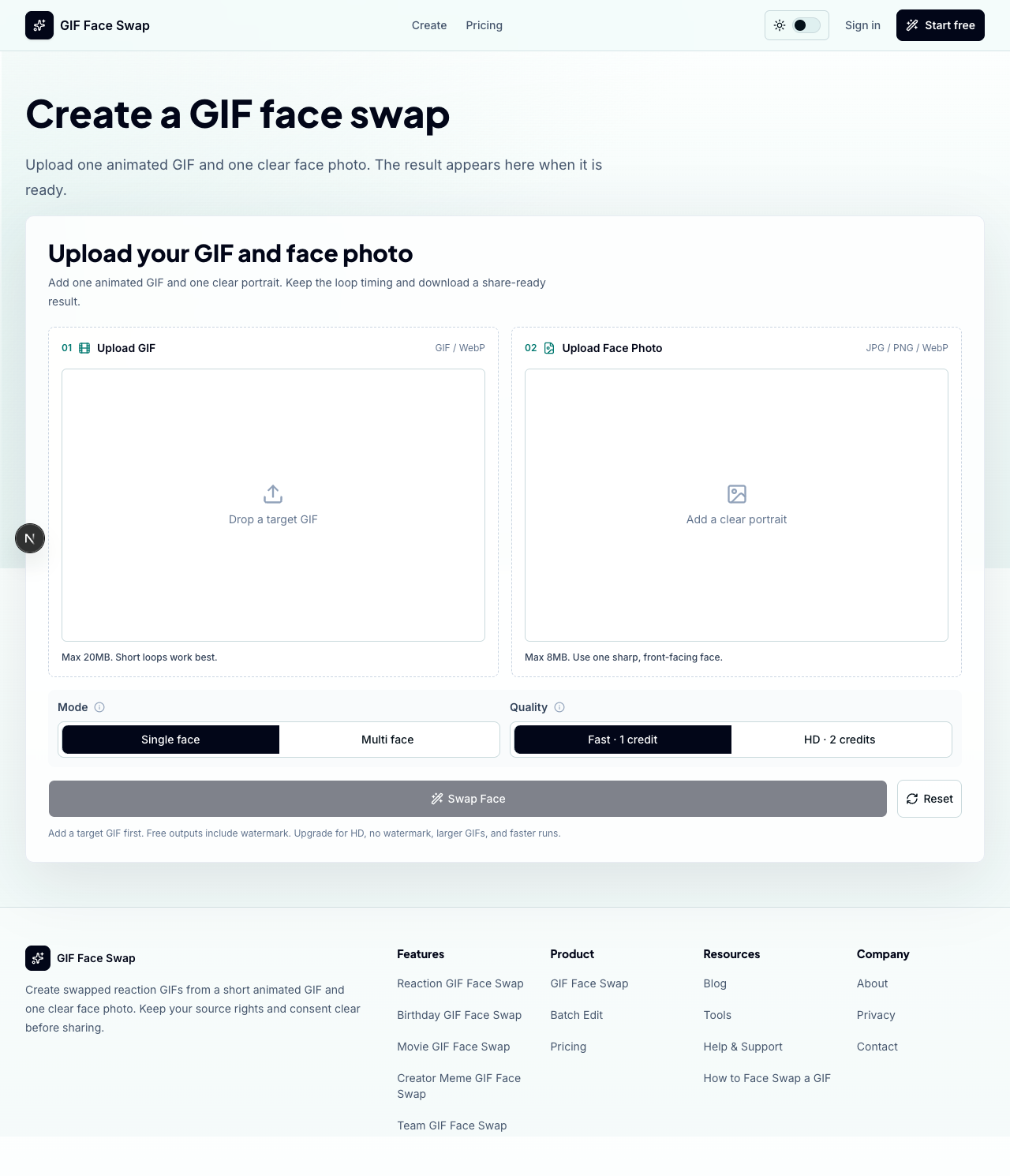
GIF Face Swap is a web-based AI tool designed specifically for swapping faces in animated GIFs. Unlike general-purpose face swap applications, this platform focuses exclusively on preserving the loop timing, motion, and shareable nature of GIFs while replacing faces with user-provided photos.
The public page presents GIF Face Swap as a lightweight alternative to complex video editing suites. Users upload a GIF containing a clear face and a portrait photo, then the AI generates a new animated GIF with the swapped face while maintaining the original motion and timing. The tool targets meme creators, social media users, fandom communities, and marketing teams who need quick, shareable content without professional editing skills.
GIF Face Swap serves several distinct user groups based on the visible evidence:
Meme Makers and Social Creators can turn familiar reaction loops into personalized posts, comments, and group-chat replies. The tool's speed matters for creators who need to respond while trends are still moving.
Fandom Editors can place friends, characters, or creators into anime, movie, sports, and game-adjacent GIFs without opening full editing software. This appeals to fan communities who remix media for entertainment.
Indie Filmmakers and Previs Artists can test quick expressions, scene beats, and character reactions before committing time to heavier video production workflows.
Marketing Teams and Brands can create lightweight campaign replies, launch reactions, mascot moments, and internal celebration loops from approved source files. The batch editing feature supports campaign-scale production.
Teams and Communities can generate private joke loops for wins, retros, birthdays, and community moments where speed matters more than a full video editor.
GIF Face Swap operates on a freemium credit-based model:
Free Tier ($0): Includes one free guest GIF swap plus 5 starter credits after signup. Exports include watermarks. No credit card required for trial.
Pro Monthly: 300 credits refresh each month, supporting up to 300 single-face GIF tasks. Includes watermark-free exports, 7-day result storage, private creation history, and faster queue priority. First monthly checkout receives 20% off.
Pro Yearly: Same 300 credits added monthly with unused credits accumulating. Offers the lowest Pro price with 41% savings versus monthly billing. Includes all monthly Pro features plus priority processing for busy queues.
One-Time Credit Packs: Available for users who prefer non-subscription options. Credits never expire.
Pro plans are positioned for creators who make GIFs repeatedly, need watermark-free exports, and want predictable credit availability. The free tier is sufficient for testing quality before committing.
The workflow follows four straightforward steps: upload a GIF (preferably short with one clear face), add a face photo (sharp, front-facing, well-lit), start the swap with single-face output selected, then preview and download the result.
The interface emphasizes simplicity with drag-and-drop uploads, template search, and a before/after comparison slider. Users can start from templates or upload custom GIFs.
Support appears limited based on visible evidence. Pro users receive faster queue priority and priority processing, but no explicit support channels like email, chat, or documentation are visible. The tool positions itself as self-serve, with practical tips provided for better results rather than hands-on support.
Key technical specifications from the evidence:
The tool handles edge cases by passing frames with undetected faces through unchanged, ensuring the output loop remains complete rather than cutting short. Short loops are recommended for best results, with the suggestion to preview a short clip first before processing full GIFs.
Pros
Cons
GIF Face Swap is an AI-powered web tool for swapping faces in animated GIFs. Users upload a GIF containing a face and a portrait photo, then the AI replaces the face in the GIF while preserving the original animation timing and loop. The result is a new GIF with the swapped face that maintains the motion characteristics of the source.
Yes. New users receive one free guest GIF swap without signing up, plus 5 starter credits after creating an account. Free tier exports include watermarks. To remove watermarks and access more features, users can upgrade to Pro plans.
The tool accepts animated GIF and WebP files (up to 20MB) as target files. Face photos should be JPG, PNG, or WebP format (up to 8MB). Output is delivered as animated GIF.
Use clear, front-facing face photos with even lighting and minimal accessories. Choose short GIF loops with good lighting and clear faces. Preview with a short clip first before processing the full GIF. For very small GIFs, use a larger source file when possible. If edges look rough, select a cleaner, brighter source GIF.
Free users get 1 guest swap plus 5 starter credits with watermarked exports. Pro Monthly provides 300 credits monthly with watermark-free exports, 7-day storage, and faster queue priority. Pro Yearly offers the same with credit accumulation (unused credits roll over) and 41% cost savings versus monthly billing.
Yes, Pro plans support batch editing workflows. Creators can prepare multiple GIF ideas simultaneously when needing sets of reactions or campaign loops. The 300 monthly credits on Pro plans accommodate regular batch processing.
GIF Face Swap offers a focused, lightweight solution for creators who need quick face swaps in animated GIFs without learning complex editing software. The free trial allows quality testing before commitment, while Pro plans provide predictable credit access for regular creators.
The tool's value lies in its specificity-it preserves GIF timing and loop characteristics better than general video tools adapted for GIFs. However, the single-face limitation and 7-day storage window may constrain power users. Marketing teams and social creators who need fast, shareable content will likely find the most value, particularly with batch editing capabilities on Pro plans.
Users should verify their source file quality before processing, as results depend heavily on clear faces and good lighting in both the target GIF and replacement photo. For occasional personal use, the free tier suffices; for professional or regular use, the yearly Pro plan offers the best value.



haowen sun

The One Startup : Navigate. Build. Grow.

Discover the Best AI Tools & SaaS Solutions

Build Trust with DR Checker
Get your brand featured here
Discover similar products in the same category
Beat artist's block instantly with randomized, multi-category drawing prompts and AI inspiration.
Roblox GUI Maker — a free, browser-based visual builder for Roblox game GUIs. Design by drag-and-dro

Free browser-based PPTX merger. Pick the exact slides you need, keep original formatting, and nothin