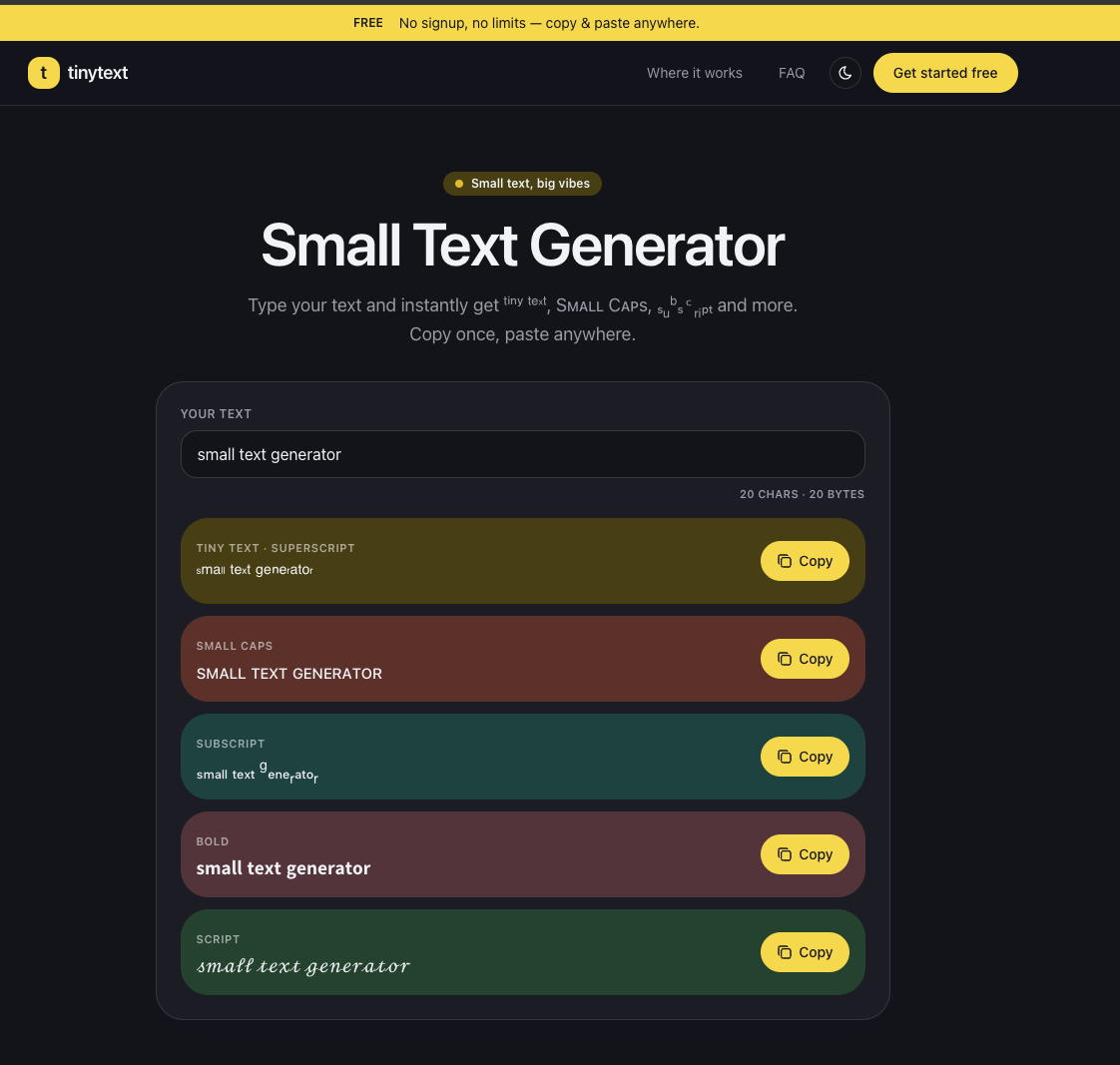
TinyText.io is a free, browser-based small text generator that converts standard text into Unicode-styled variants - superscript, small caps, subscript, bold, and script - ready for instant copy and paste. The tool requires no signup, imposes no limits, and works entirely client-side. For social media users, gamers, and anyone who wants stylized text in Instagram bios, Discord usernames, TikTok captions, or game IDs, TinyText.io offers a quick way to produce decorative Unicode text without installing anything.
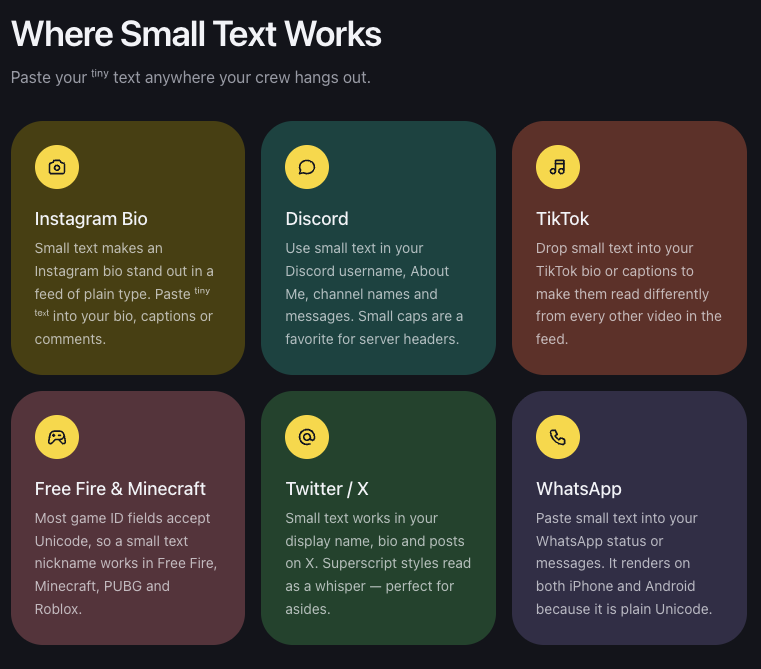
For social media users looking to make Instagram bios, TikTok captions, or Twitter display names stand out from plain-text feeds, the superscript and small cap styles offer a subtle but noticeable visual distinction without any design knowledge.
For Discord users who want stylized server headers, usernames, or channel names, small caps are a popular choice. The site notes that small caps enjoy the broadest Unicode support of any small text style, making them a reliable option for platform fields that may reject less common characters.
For gamers who need unique nicknames in Free Fire, Minecraft, PUBG, or Roblox, the small text generator works because most game ID fields accept Unicode characters. The site recommends small caps as the safe default for game handles since they use widely supported characters.
TinyText.io is entirely free. The site states plainly that there are no premium tiers, no credit card requirements, and no hidden limitations. The full tool is accessible without any account or payment.
The interface is minimal - a single input field, instant preview of all five style variants, and one-click copy buttons. No onboarding, no account creation, no settings to configure. The tool loads quickly as a single-page utility.
Support information is not prominently featured on the public site. The FAQ section addresses common questions about compatibility and character rendering, but there is no visible contact form, email address, or support documentation beyond the FAQ. A Cookie Policy, Privacy Policy, and Terms of Service are linked in the footer.
The generator relies entirely on Unicode character mapping. Superscript letters are drawn from Unicode superscript blocks, small caps from phonetic alphabets adopted into Unicode, and subscript from Unicode subscript characters. The site explains that Unicode never defined a complete small alphabet - there is no superscript q, and only 17 of 26 letters have subscript forms, so the tool substitutes the closest look-alike character. The text is rendered as plain characters, meaning it works in any application that accepts Unicode input.
Pros
Cons
The tool produces five style categories: superscript, small caps, subscript, bold, and script. Each style is generated instantly as you type, with a one-click copy button for each variant.
Unicode does not define a complete set of superscript, subscript, or small cap characters for all 26 Latin letters. When a character has no direct equivalent, the tool substitutes the closest visual match. This is a limitation of the Unicode standard itself, not a flaw in the tool.
The site states that any app accepting Unicode text will display the characters, including bios, captions, comments, usernames, and chat messages. However, some game nickname fields may filter special characters - if one style is rejected, small caps tend to have the widest support.
No. The site describes the tool as free and unlimited, with no usage caps or character limits mentioned.
No. TinyText.io runs entirely in the browser. There are no apps, extensions, or font files to download. The generated text is plain Unicode that renders on any device.
Small caps are derived from phonetic alphabets that were formally adopted into Unicode, which gives them broader platform support than superscript or subscript characters. The site recommends small caps as the default choice for game IDs and handles where character filtering may be strict.
TinyText.io does one thing well: convert plain text into styled Unicode variants for use across social platforms, messaging apps, and games. The free, no-signup approach removes every barrier to entry, and the Unicode-based method ensures the output works wherever plain text is accepted. For anyone who wants to stylize a bio, username, or caption without fuss, the tool delivers exactly what it promises. The main limitation is inherent to Unicode itself - not every letter has a clean superscript or subscript form - but for the most common use cases, the results are practical and immediately usable.

edmond

Discover the Best AI Tools & SaaS Solutions

The One Startup : Navigate. Build. Grow.

Build Trust with DR Checker
Get your brand featured here
Discover similar products in the same category

Free browser-based PPTX merger. Pick the exact slides you need, keep original formatting, and nothin

Free synastry & soulmate compatibility by date of birth—plain language, no sign-up.