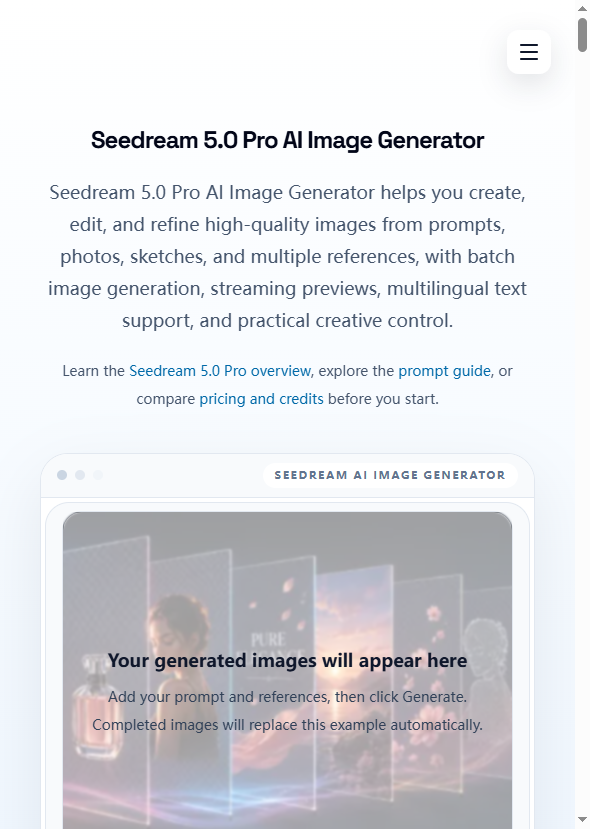


Seedream 5.0 Pro is a browser-based AI image generator that creates, edits, and refines images from text prompts, uploaded photos, sketches, and multiple reference images. The tool supports batch generation, interactive editing, multilingual text rendering in 10+ languages, and watermark-free downloads at up to 4K resolution. For marketers, e-commerce sellers, content creators, and design teams who need production-ready visuals without a design tool workflow, the core pitch is practical: describe what you need, generate it, refine it, and download the final asset - all in one browser session.
For e-commerce sellers who need product images with clean backgrounds, lifestyle scenes, or ad-ready visuals, Seedream 5.0 Pro lets you upload a product photo and generate polished variations - changing backgrounds, adding context, or creating marketplace-ready listings without a photographer or editor.
For marketers running campaigns across multiple channels, the batch generation and multi-reference workflows make it practical to produce a set of related visuals from a single concept. A team can generate hero images, social post variants, and display banners from one prompt set.
For content creators producing educational material, the tool's text rendering and structured layout capabilities support infographic-style visuals, knowledge cards, and presentation graphics where text and imagery need to work together.
For teams working across language markets, the multilingual text support means a single design concept can be adapted for different regions without recreating the visual from scratch in a separate tool.
New users receive 10 free credits after signup, enough for approximately 3 standard images. Paid plans use a one-time credit system - credits never expire. The Starter pack costs $9.90 for 400 credits (roughly $0.074 per image). Higher tiers offer more credits at lower per-unit costs. One credit system supports Seedream 4.0, 4.5, 5.0, and 5.0 Pro models. Readers should check the pricing page for current rates and credit allocations.
The interface follows a straightforward four-step flow: enter a prompt or upload an image, adjust settings (size, aspect ratio, count, style), generate and preview, then download or re-edit. The site includes a prompt guide, how-to-use walkthrough, and an about page explaining the model's capabilities. Support details beyond the site navigation are not prominently documented.
Seedream 5.0 Pro is an AI image model that supports text-to-image, image-to-image, sketch-to-image, multi-image blending, batch generation, and iterative editing. It renders text in 10+ languages and produces output up to 4K resolution. The tool runs in the browser with no software installation required. The exact model architecture and training details are not disclosed on the public pages.
Pros
Cons
Seedream 5.0 Pro is a browser-based AI image generator that creates, edits, and refines images from text prompts, photos, sketches, and multiple reference images. It supports batch generation, multilingual text rendering, and watermark-free downloads at up to 4K resolution.
New users receive 10 free credits (about 3 images). Paid credit packs start at $9.90 for 400 credits. Credits never expire and work across Seedream 4.0, 4.5, 5.0, and 5.0 Pro models.
Yes. Downloads are watermark-free and the site presents the tool as suitable for ads, product pages, social posts, and other commercial use. Verify licensing terms on the site before committing to commercial projects.
The tool supports text prompts, uploaded photos, rough sketches, and multiple reference images. You can also blend references together and iterate on generated images with follow-up instructions.
Yes. Seedream 5.0 Pro renders text in 10+ languages including English, Chinese, Japanese, Korean, Spanish, and Arabic. It supports headlines, labels, poster titles, and structured text layouts.
Seedream 5.0 Pro combines batch generation, multi-image blending, interactive editing, and multilingual text rendering in one browser-based workflow. The credit system is one-time purchase with no expiration, which differs from subscription-based competitors.
Seedream 5.0 Pro fills a practical niche for teams and creators who need production-ready AI images with text rendering, batch workflows, and multi-reference control - without learning a design tool or installing software. The free credits make evaluation risk-free, and the one-time credit model avoids subscription lock-in. For marketers, e-commerce sellers, and content creators who need clean, publishable visuals on a regular basis, the tool is worth testing - though readers should verify the credit costs at their intended resolution and check the Seedream 5.0 Pro pricing page before purchasing larger credit packs.
thomas

Build Trust with DR Checker

Discover the Best AI Tools & SaaS Solutions
The One Startup : Navigate. Build. Grow.

Get your brand featured here
Discover similar products in the same category

Best-TempMail.com delivers secure, reliable temporary inboxes with SPF, DMARC, TLS, QR access, and p

All-in-one toolkit: calculator, converter, compass, flashlight, notes, random generator – offline, c


## Introduction BizHire is an AI-powered recruitment platform built by BizWorkHQ that automates the hiring process from job description creation through candidate screening, scoring, and interview scheduling. The platform targets startups, small businesses, remote companies, and staffing agencies that want to reduce the manual overhead of reviewing resumes, coordinating interviews, and tracking applicants. BizHire is part of the broader BizWork suite, which also covers IT service management, CRM, HRMS, and accounts - but BizHire focuses specifically on the recruitment pipeline. The site emphasizes speed and bias reduction, claiming the AI can cut repetitive hiring tasks and help teams make data-backed decisions faster. ## Key Features - **AI Job Description Generation** - creates role-specific, bias-free job descriptions in seconds, optimized for search visibility and candidate appeal - **AI Resume Parsing** - uploads and extracts skills, experience, and education from multiple resumes instantly, eliminating manual data entry - **AI Candidate Scoring** - ranks applicants based on job fit and defined criteria, using AI to evaluate skills, experience, and cultural fit - **Smart Screening** - automatically matches candidate profiles to role requirements, reducing hours of manual resume review - **AI Interviewer** - conducts initial interviews via AI chat or video for structured, consistent candidate screening - **Candidate Relationship Management** - tracks applicant history, notes, and activity to maintain engagement and build a talent pipeline - **Custom Scorecards** - allows teams to define their own evaluation formats (stars, numeric, etc.) for different roles and agencies - **Candidate Talent Pool** - reuses pre-screened candidates from previous hiring cycles so teams do not start from scratch for each new role - **Multi-Platform Job Posting** - posts jobs across multiple platforms with one click, including LinkedIn, Facebook, Twitter, Indeed, Glassdoor, and ZipRecruiter - **Reporting & Analytics** - provides hiring dashboards, time-to-hire and cost-per-hire reports, recruiter performance metrics, and source/channel performance scoring ## Use Cases Startups with limited hiring bandwidth can use BizHire to automate resume screening and candidate shortlisting, freeing the founding team to focus on growth rather than paperwork. The AI-generated job descriptions and smart screening reduce the time spent on repetitive early-stage tasks. Small businesses that receive high volumes of applications but lack a dedicated HR team can rely on the AI scoring and automated interview scheduling to move candidates through the pipeline without manual coordination. The platform's custom scorecards help maintain consistency across different roles. Staffing agencies managing multiple clients and open positions simultaneously can use the candidate talent pool and multi-platform job posting features to source and screen candidates at scale. The ability to reuse pre-screened candidates across roles is particularly relevant for agencies that fill similar positions repeatedly. Remote companies hiring across time zones benefit from the AI interviewer and automated scheduling, which handle initial screening without requiring synchronous availability from recruiters and candidates. ## Pricing BizHire offers a 7-day free trial for new users. The site mentions flexible plans based on hiring needs, suitable for startups through enterprises, but does not list specific prices on the public pages. Users are directed to contact the team at notifications@bizworkhq.com for a custom quote or to visit the pricing page for details. The lack of public pricing means teams will need to engage with sales to evaluate cost fit. ## User Experience and Support The platform follows a structured hiring workflow: AI generates job descriptions, resumes are parsed and scored, candidates are screened automatically, and interviews are scheduled with calendar integration. BizHire integrates with Google Meet, Zoom, Slack, Google Calendar, and Outlook, which covers most common communication and scheduling tools. The site features a "Request a Demo" option, a blog with posts on hiring topics, and case studies. Support contacts include an email address (notifications@bizworkhq.com). The platform also offers role-based access control so different team members can collaborate securely within the hiring workflow. ## Technical Details BizHire runs as a cloud-based platform and integrates with popular ATS systems, HR tools, and CRM platforms. The specific AI architecture is not disclosed, but the platform uses AI for resume parsing, candidate scoring, interview automation, and feedback analysis. Job distribution spans LinkedIn, Facebook, Twitter, Indeed, Glassdoor, and ZipRecruiter. The broader BizWork suite includes ITSM, CRM, HRMS, and accounts modules, suggesting BizHire can operate as part of a larger workforce management system. The site mentions GDPR and EEOC compliance, though the specifics of their compliance certifications are not detailed on the public pages. ## Pros and Cons **Pros** - Covers the full recruitment pipeline from job description to onboarding in one platform - AI-driven screening and scoring can significantly reduce manual review time - Multi-platform job posting with one click broadens candidate reach - Integrations with Zoom, Slack, Google Calendar, and Outlook fit common team workflows - Candidate talent pool feature helps avoid restarting the hiring cycle for similar roles - Part of a broader office management suite for teams that need HR, ITSM, and CRM together **Cons** - No public pricing, so evaluating cost requires a sales conversation - Specific AI architecture and model details are not disclosed - Compliance claims (GDPR, EEOC) are mentioned but not substantiated with audit details - The breadth of features across the BizWork suite may be more than teams looking only for recruitment need - The site's "50% cost savings" and "40% task reduction" claims are not independently verified ## FAQ ### What is BizHire and what does it do? BizHire is an AI-powered recruitment platform by BizWorkHQ that automates the hiring process - from generating job descriptions and parsing resumes to scoring candidates and scheduling interviews. It is designed for startups, small businesses, remote companies, and staffing agencies. ### Can BizHire integrate with my existing ATS? The site states that BizHire integrates with most ATS and HR systems. Specific integrations mentioned include Google Meet, Zoom, Slack, Google Calendar, and Outlook. Teams with less common ATS setups should verify compatibility before committing. ### Is BizHire suitable for small businesses? Yes. The platform is built to scale and specifically addresses small business use cases on its site, including automated screening and shortlisting for teams with limited HR capacity. ### How does the AI candidate scoring work? BizHire's AI scores candidates based on qualifications, skills, and cultural fit according to criteria defined for each role. Custom scorecards allow teams to adjust the evaluation format. The site does not disclose the underlying AI model or scoring methodology. ### What does BizHire cost? BizHire offers a 7-day free trial. Beyond that, pricing is not publicly listed. The site encourages users to contact the team at notifications@bizworkhq.com for a custom quote based on their hiring needs. ### Does BizHire handle interview scheduling? Yes. The platform automates interview bookings and syncs with calendars (Google Calendar, Outlook) to eliminate back-and-forth scheduling. It also offers an AI Interviewer feature that conducts initial screening interviews via chat or video. ### Is BizHire's hiring process compliant with fair hiring laws? The site mentions compliance with GDPR and EEOC and states that the AI is designed to reduce bias in screening and scoring. Organizations with specific compliance requirements should request documentation from the BizHire team to verify the details. ## Conclusion BizHire offers a feature-rich AI recruitment platform that covers the full hiring lifecycle from job posting to onboarding, with particularly strong automation around resume parsing, candidate scoring, and interview scheduling. The integrations with common tools like Zoom, Slack, and major job boards make it practical for teams already using those platforms. The main considerations are the absence of public pricing, the undisclosed AI methodology, and compliance claims that would need verification for regulated industries. For startups and small businesses looking to automate repetitive hiring tasks, BizHire's [7-day free trial](https://www.bizworkhq.com/ai-recruitment-software) is a reasonable starting point.
Ready-made color palettes, a page for every named color, and browser-based tools for building