


XMK Seedance 2.5 represents a significant leap in AI-powered video generation technology from ByteDance. Positioned as a professional-grade tool for creators, marketers, and agencies, this platform delivers native 30-second 4K video clips in a single generation pass-eliminating the need for stitching multiple short clips together. With support for up to 50 multimodal reference inputs and innovative local re-draw editing capabilities, Seedance 2.5 addresses core limitations that have plagued earlier AI video generation tools.
The platform targets professional content creators, marketing teams, advertising agencies, and e-commerce businesses who require high-quality, coherent video content without the time and expense of traditional production workflows. By combining extended runtime, rich reference support, and post-generation editing, Seedance 2.5 suggests AI video generation is moving from experimental toy to genuine production tool.
XMK Seedance 2.5 delivers several breakthrough capabilities that distinguish it from competitors:
30-Second Single-Segment Native Output: Unlike most AI video tools that generate 4-15 second fragments requiring manual stitching, Seedance 2.5 produces complete 30-second clips in one native pass. This enables complete story beats with setup, action, reveal, and conclusion in a single, coherent output.
Up to 50 Multimodal Reference Inputs: The platform accepts up to 50 reference inputs per generation-roughly 4× the capacity of Seedance 2.0. Users can combine images, audio files, video samples, and text prompts, allowing complex brand campaigns to include character sheets, product photos, color palettes, setting references, and mood files in one comprehensive generation.
Local Re-Draw Editing: A standout feature enabling targeted post-generation editing. Users can change specific elements-products, backgrounds, or characters-while preserving motion, camera paths, and composition. ByteDance demonstrated this with e-commerce product swaps: swap different products in the same scene without altering lighting or motion.
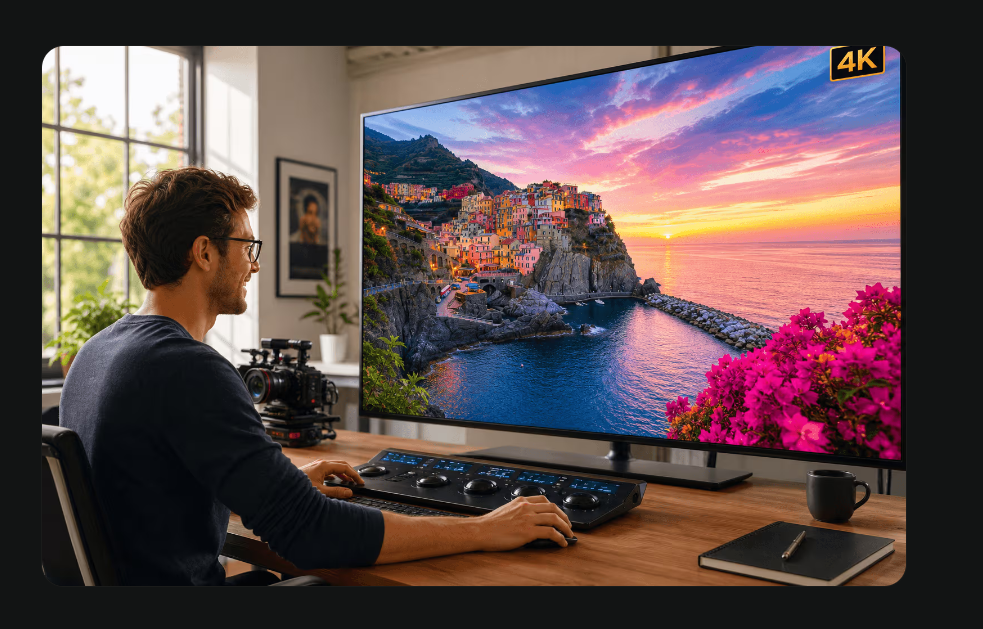
Native 4K and 10-Bit Color: Generated at source resolution rather than upscaled, with 10-bit color depth providing headroom for professional grading and retaining detail in shadows and highlights beyond 8-bit output.
High-Quality Video Extension: When a clip has the right style but needs more time, users can extend from the existing result while carrying forward visual consistency-avoiding complete regeneration.
20% Improved Prompt Adherence: ByteDance reports improved matching between prompts and outputs, reducing the number of regenerations needed per project.
The platform serves several professional workflows:
Short-Form Content Creators: For creators producing TikTok, Reels, and Shorts content, the 30-second runtime matches platform-native formats. Story-driven social content benefits from complete narrative arcs without the jarring cuts of stitched clips.
Product Marketing and E-Commerce: Marketers can place products in branded environments with rich visual references before committing to full production shoots. The re-draw feature enables per-SKU variants from a single master clip-ideal for large product catalogs.
Advertising Agencies: Agencies can present clients with moving 30-second concepts before locking production budgets. When feedback requests product color changes or background swaps, re-draw adjusts specific elements rather than regenerating entire clips.
Brand Campaign Production: The 50 reference input capacity allows comprehensive brand guidelines-character consistency, product details, color palettes, and motion styles-to be baked into a single generation.
Video Concept Testing: For workflows where a short test clip isn't enough and a full shoot is too slow, Seedance 2.5 offers rapid iteration with professional-grade outputs.
XMK operates on a credit-based system with one-time purchase plans. Note: Specific Seedance 2.5 pricing was not announced as of June 2026. The following reflects XMK's general pricing structure for available models:
Base Plan - $9.90
Pro Plan - $29.90 (Save 9.39%)
Ultimate Plan - $49.90 (Save 12.46%)
Creator Plan - $99.90 (Save 23.15%)
Context for Seedance Pricing: Seedance 2.0 on fal.ai API runs approximately $0.30/second at 720p and $0.68/second at 1080p (roughly $9/minute). Google Veo 3.1 runs approximately $24/minute by comparison. Actual Seedance 2.5 pricing to be confirmed at general availability.
Billing: One-time purchases only-no subscriptions. Credits never expire. 7-day refund guarantee. Payment via Stripe (Visa, Mastercard, American Express, Discover, JCB).
XMK provides a dark-mode workspace designed for focused creative work. The platform emphasizes a straightforward three-step workflow:
Support infrastructure includes:
The platform processes orders under Hong Kong law with secure Stripe payment processing.
Model Architecture: Seedance 2.5 builds on Seedance 2.0, which holds #1 ranking on Artificial Analysis Video Arena (Elo 1,219) for text-to-video and image-to-video-ahead of Veo 3.1 and Kling 3.0.
Availability: Enterprise beta as of June 2026. General availability targeted for early July 2026 via Volcano Engine Model Ark API, Dreamina, and CapCut.
Video Models Available: Seedance 2.5, Seedance 2.0, Seedance 2.0 Fast, Seedance 1.5 Pro, Seedance 1.0 Pro, Kling 3.0, Veo 3.1, Wan 2.7, Gemini Omni Flash, Grok Imagine 1.5, HappyHorse 1.1.
Image Models: GPT Image 2, Google Nano Banana, Seedream 5.0.
Resolution Support: Native 4K, 2K, 1080p, 720p.
Color Depth: 10-bit color for professional grading workflows.
Platform Access: Web-based interface with API availability for enterprise users.
Pros
Cons
General availability is targeted for early July 2026. The model is currently in global enterprise beta. It will be accessible through Volcano Engine Model Ark API, Dreamina, and CapCut.
Three key differences: clip length (30 seconds native vs 4-15 seconds), reference inputs (50 multimodal vs 12), and editing capabilities (local re-draw vs generation-only). Seedance 2.0 remains available and holds the #1 ranking on Artificial Analysis Video Arena.
Local re-draw allows changing specific elements-products, backgrounds, or characters-within a generated clip without altering motion, camera paths, or composition. This turns near-miss outputs into deliverables without complete regeneration.
Up to 50 multimodal reference inputs per generation, including images, audio files, video samples, and text prompts. This is roughly 4× the capacity of Seedance 2.0.
Native 4K resolution generated at source (not upscaled), with 10-bit color depth for professional color grading workflows.
No. XMK credits from one-time purchases never expire. They remain on your account until used.
Currently, XMK only offers one-time purchases. For subscription inquiries, contact their support team by email.
Visa, Mastercard, American Express, Discover, and JCB credit cards via Stripe payment processing.
Seedance 2.5 leads in clip length (30s vs 15s vs 8s) and reference inputs (50 vs 1-2 vs 3). Veo 3.1 excels at photorealistic talking-head video. Kling 3.0 offers strong cinematic multi-shot capabilities. Choose based on project requirements.
Yes. XMK offers a 7-day money-back guarantee on credit purchases.
XMK Seedance 2.5 represents a maturation point for AI video generation technology. By solving the fundamental problems of runtime limitation and post-generation editability, ByteDance has created a tool that genuinely competes with traditional production workflows for certain use cases.
The 30-second native runtime, massive reference capacity, and local re-draw capability combine to address real production pain points-not just generate impressive demos. The foundation on Seedance 2.0's #1 ranked performance provides confidence in underlying quality.
However, prospective users should note the current beta status and unannounced pricing for Seedance 2.5 specifically. While the technology promises significant advancement, production workflows should verify actual pricing and availability before planning around the platform.
For creators, marketers, and agencies ready to integrate AI video into professional workflows, Seedance 2.5 merits serious consideration-particularly for rapid prototyping, concept validation, and high-volume content variation where traditional production would be prohibitively expensive or slow. The credit-based model with non-expiring credits offers flexibility, though users should calculate costs carefully for high-resolution, long-runtime projects.
Visit xmk.com to preview features and check availability.
emily jones
Build Trust with DR Checker
Discover the Best AI Tools & SaaS Solutions
The One Startup : Navigate. Build. Grow.
Get your brand featured here
Discover similar products in the same category

## Introduction BizHire is an AI-powered recruitment platform built by BizWorkHQ that automates the hiring process from job description creation through candidate screening, scoring, and interview scheduling. The platform targets startups, small businesses, remote companies, and staffing agencies that want to reduce the manual overhead of reviewing resumes, coordinating interviews, and tracking applicants. BizHire is part of the broader BizWork suite, which also covers IT service management, CRM, HRMS, and accounts - but BizHire focuses specifically on the recruitment pipeline. The site emphasizes speed and bias reduction, claiming the AI can cut repetitive hiring tasks and help teams make data-backed decisions faster. ## Key Features - **AI Job Description Generation** - creates role-specific, bias-free job descriptions in seconds, optimized for search visibility and candidate appeal - **AI Resume Parsing** - uploads and extracts skills, experience, and education from multiple resumes instantly, eliminating manual data entry - **AI Candidate Scoring** - ranks applicants based on job fit and defined criteria, using AI to evaluate skills, experience, and cultural fit - **Smart Screening** - automatically matches candidate profiles to role requirements, reducing hours of manual resume review - **AI Interviewer** - conducts initial interviews via AI chat or video for structured, consistent candidate screening - **Candidate Relationship Management** - tracks applicant history, notes, and activity to maintain engagement and build a talent pipeline - **Custom Scorecards** - allows teams to define their own evaluation formats (stars, numeric, etc.) for different roles and agencies - **Candidate Talent Pool** - reuses pre-screened candidates from previous hiring cycles so teams do not start from scratch for each new role - **Multi-Platform Job Posting** - posts jobs across multiple platforms with one click, including LinkedIn, Facebook, Twitter, Indeed, Glassdoor, and ZipRecruiter - **Reporting & Analytics** - provides hiring dashboards, time-to-hire and cost-per-hire reports, recruiter performance metrics, and source/channel performance scoring ## Use Cases Startups with limited hiring bandwidth can use BizHire to automate resume screening and candidate shortlisting, freeing the founding team to focus on growth rather than paperwork. The AI-generated job descriptions and smart screening reduce the time spent on repetitive early-stage tasks. Small businesses that receive high volumes of applications but lack a dedicated HR team can rely on the AI scoring and automated interview scheduling to move candidates through the pipeline without manual coordination. The platform's custom scorecards help maintain consistency across different roles. Staffing agencies managing multiple clients and open positions simultaneously can use the candidate talent pool and multi-platform job posting features to source and screen candidates at scale. The ability to reuse pre-screened candidates across roles is particularly relevant for agencies that fill similar positions repeatedly. Remote companies hiring across time zones benefit from the AI interviewer and automated scheduling, which handle initial screening without requiring synchronous availability from recruiters and candidates. ## Pricing BizHire offers a 7-day free trial for new users. The site mentions flexible plans based on hiring needs, suitable for startups through enterprises, but does not list specific prices on the public pages. Users are directed to contact the team at notifications@bizworkhq.com for a custom quote or to visit the pricing page for details. The lack of public pricing means teams will need to engage with sales to evaluate cost fit. ## User Experience and Support The platform follows a structured hiring workflow: AI generates job descriptions, resumes are parsed and scored, candidates are screened automatically, and interviews are scheduled with calendar integration. BizHire integrates with Google Meet, Zoom, Slack, Google Calendar, and Outlook, which covers most common communication and scheduling tools. The site features a "Request a Demo" option, a blog with posts on hiring topics, and case studies. Support contacts include an email address (notifications@bizworkhq.com). The platform also offers role-based access control so different team members can collaborate securely within the hiring workflow. ## Technical Details BizHire runs as a cloud-based platform and integrates with popular ATS systems, HR tools, and CRM platforms. The specific AI architecture is not disclosed, but the platform uses AI for resume parsing, candidate scoring, interview automation, and feedback analysis. Job distribution spans LinkedIn, Facebook, Twitter, Indeed, Glassdoor, and ZipRecruiter. The broader BizWork suite includes ITSM, CRM, HRMS, and accounts modules, suggesting BizHire can operate as part of a larger workforce management system. The site mentions GDPR and EEOC compliance, though the specifics of their compliance certifications are not detailed on the public pages. ## Pros and Cons **Pros** - Covers the full recruitment pipeline from job description to onboarding in one platform - AI-driven screening and scoring can significantly reduce manual review time - Multi-platform job posting with one click broadens candidate reach - Integrations with Zoom, Slack, Google Calendar, and Outlook fit common team workflows - Candidate talent pool feature helps avoid restarting the hiring cycle for similar roles - Part of a broader office management suite for teams that need HR, ITSM, and CRM together **Cons** - No public pricing, so evaluating cost requires a sales conversation - Specific AI architecture and model details are not disclosed - Compliance claims (GDPR, EEOC) are mentioned but not substantiated with audit details - The breadth of features across the BizWork suite may be more than teams looking only for recruitment need - The site's "50% cost savings" and "40% task reduction" claims are not independently verified ## FAQ ### What is BizHire and what does it do? BizHire is an AI-powered recruitment platform by BizWorkHQ that automates the hiring process - from generating job descriptions and parsing resumes to scoring candidates and scheduling interviews. It is designed for startups, small businesses, remote companies, and staffing agencies. ### Can BizHire integrate with my existing ATS? The site states that BizHire integrates with most ATS and HR systems. Specific integrations mentioned include Google Meet, Zoom, Slack, Google Calendar, and Outlook. Teams with less common ATS setups should verify compatibility before committing. ### Is BizHire suitable for small businesses? Yes. The platform is built to scale and specifically addresses small business use cases on its site, including automated screening and shortlisting for teams with limited HR capacity. ### How does the AI candidate scoring work? BizHire's AI scores candidates based on qualifications, skills, and cultural fit according to criteria defined for each role. Custom scorecards allow teams to adjust the evaluation format. The site does not disclose the underlying AI model or scoring methodology. ### What does BizHire cost? BizHire offers a 7-day free trial. Beyond that, pricing is not publicly listed. The site encourages users to contact the team at notifications@bizworkhq.com for a custom quote based on their hiring needs. ### Does BizHire handle interview scheduling? Yes. The platform automates interview bookings and syncs with calendars (Google Calendar, Outlook) to eliminate back-and-forth scheduling. It also offers an AI Interviewer feature that conducts initial screening interviews via chat or video. ### Is BizHire's hiring process compliant with fair hiring laws? The site mentions compliance with GDPR and EEOC and states that the AI is designed to reduce bias in screening and scoring. Organizations with specific compliance requirements should request documentation from the BizHire team to verify the details. ## Conclusion BizHire offers a feature-rich AI recruitment platform that covers the full hiring lifecycle from job posting to onboarding, with particularly strong automation around resume parsing, candidate scoring, and interview scheduling. The integrations with common tools like Zoom, Slack, and major job boards make it practical for teams already using those platforms. The main considerations are the absence of public pricing, the undisclosed AI methodology, and compliance claims that would need verification for regulated industries. For startups and small businesses looking to automate repetitive hiring tasks, BizHire's [7-day free trial](https://www.bizworkhq.com/ai-recruitment-software) is a reasonable starting point.

## Introduction MogScore AI is a browser-based tool that scores facial photos for camera-readiness and provides guidance on improving future shots. Available at [mogscore.ai](https://mogscore.ai), the platform runs an instant AI face-score analysis locally in the browser, returning a 0-100 score across five dimensions - Face Structure, Eyes & Expression, Nose & Mouth, Camera Setup, and Photo Quality - without requiring a login for the free preview. Users can then optionally unlock a full facial metrics report for detailed reasoning, priority-ranked fixes, and a next-photo protocol. The site is clear that scores are entertainment and self-improvement guidance, not medical or identity claims, which is an important framing for anyone evaluating the tool. ## Key Features - **Instant Browser-Local Scoring** - upload a solo selfie and receive an AI face score with five dimension bars (0-100) without any login or server-side processing for the free preview - **Five Dimension Breakdown** - scores for Face Structure, Eyes & Expression, Nose & Mouth, Camera Setup, and Photo Quality, shown as metric cards at a glance - **Free Preview Console** - see your overall score, visible dimension cards, camera and hair framing tips, and a next-photo checklist without creating an account - **Full Facial Metrics Report** - a one-time $4.99 unlock adds AI-reviewed score reasoning, visual evidence from your photo, priority-ranked fixes, camera-limited confidence notes, and a retake protocol - **No Subscription** - each full report is a one-time purchase per photo; there is no recurring billing ## Use Cases People preparing headshots, dating-profile photos, or social-media portraits can use the free preview to quickly gauge how a photo scores across key dimensions. The camera setup and photo quality scores, in particular, help identify whether the issue is lighting and framing rather than facial features - which is actionable advice for retaking the shot. Users who want structured, prioritized feedback on what to change before their next photo session can unlock the full report for specific fix order, reasoning behind each dimension score, and a retake protocol. This is aimed at self-improvement rather than diagnostic use, which the site makes explicit. ## Pricing The free preview requires no login and no payment. The Full Facial Metrics Report costs $4.99 as a one-time unlock per report - there is no subscription. Payment confirmation is required before the full report is generated, and the site emphasizes that users can review the free preview first before deciding to pay. ## User Experience and Support The workflow is streamlined into three steps: upload a clear solo selfie, let the browser-local analysis run, and review the free preview or unlock the full report. Google sign-in is only required when purchasing the full report. The site includes an FAQ section that addresses what the score is for, whether it requires login, whether it is a subscription, and how the scoring works. A "Guides" section appears in the navigation, suggesting additional resources, though the specific content was not fetched. No dedicated help center, live chat, or support email is visible on the public page. ## Technical Details MogScore runs its instant scoring entirely in the browser - the site describes this as "browser-local analysis" where camera, framing, and face signals are read locally before any paid step. The paid full report generation uses a structured score summary after the unlock payment. No server-side processing occurs for the free preview, which means the photo data for the free tier does not leave the user's device. The site does not disclose which AI model or framework powers the scoring, what training data was used, or whether any photo data is stored after the full report is generated. No API, developer tools, or integrations are mentioned. ## Pros and Cons **Pros** - Free preview with no login required, lowering the barrier to try the tool - Browser-local scoring for the free tier means photo data stays on the user's device initially - Clear dimension breakdown (five categories) makes scores interpretable - Transparent pricing - $4.99 one-time per report, no subscription - The site explicitly frames scores as entertainment and self-improvement guidance, not medical or identity claims **Cons** - The free preview locks the most actionable content - score reasoning, priority fixes, and the retake protocol - behind the paid report - The underlying AI model, training methodology, and scoring criteria are not disclosed, making it hard to assess score reliability - No visible support channel beyond the FAQ section - The site does not clarify whether photo data is retained or deleted after purchasing a full report - The scoring concept itself - rating facial appearance numerically - may not appeal to all users regardless of the entertainment framing ## FAQ ### What is MogScore AI and what does it measure? MogScore AI is a browser-based tool that scores facial photos for camera-readiness across five dimensions: Face Structure, Eyes & Expression, Nose & Mouth, Camera Setup, and Photo Quality. The site describes it as a "score preview for camera-readiness and next-photo guidance," and explicitly states that scores are entertainment framing plus self-improvement guidance, not medical or identity claims. ### Do I need to create an account to use MogScore? No. The free preview - which includes the overall score, dimension bars, camera and hair framing tips, and a next-photo checklist - does not require any login. Google sign-in is only needed when unlocking the paid Full Facial Metrics Report. ### What does the $4.99 full report include? The Full Facial Metrics Report adds AI-reviewed score reasoning, visual evidence from your photo, priority-ranked fixes with exact order, camera-limited confidence notes, and a next-photo retake protocol. It is a one-time purchase per report with no subscription. ### Is my photo data sent to a server? For the free preview, scoring runs entirely in your browser - the site states that camera, framing, and face signals are read locally. The paid report generation uses a structured score summary after unlock, but the site does not specify whether photo data is stored, transmitted, or deleted after the report is generated. Users concerned about privacy should verify the data handling policy before purchasing. ### Can I use MogScore for multiple photos? Yes. Each full report is a one-time $4.99 unlock per photo. You can run the free preview on as many photos as you want, and pay only when you want the detailed metrics report for a specific photo. ### How reliable are the scores? The site does not disclose the AI model, training data, or scoring methodology behind the scores. The scores are presented as entertainment and self-improvement guidance rather than objective measurements. Users should treat the numbers as directional feedback rather than definitive assessments. ## Conclusion MogScore AI offers a fast, no-login way to get an AI face score with a five-dimension breakdown, and the browser-local processing for the free preview is a thoughtful privacy choice. The $4.99 full report adds structured reasoning and prioritized fixes for users who want actionable retake guidance. The main caveats are the undisclosed AI methodology - which makes it hard to evaluate score reliability - the lack of clarity on data retention for paid reports, and the fact that the most useful advice is locked behind the paywall. For someone curious about how their photo scores and willing to pay for specific improvement tips, [MogScore AI](https://mogscore.ai) is a straightforward tool - but treat the scores as guidance, not measurement.