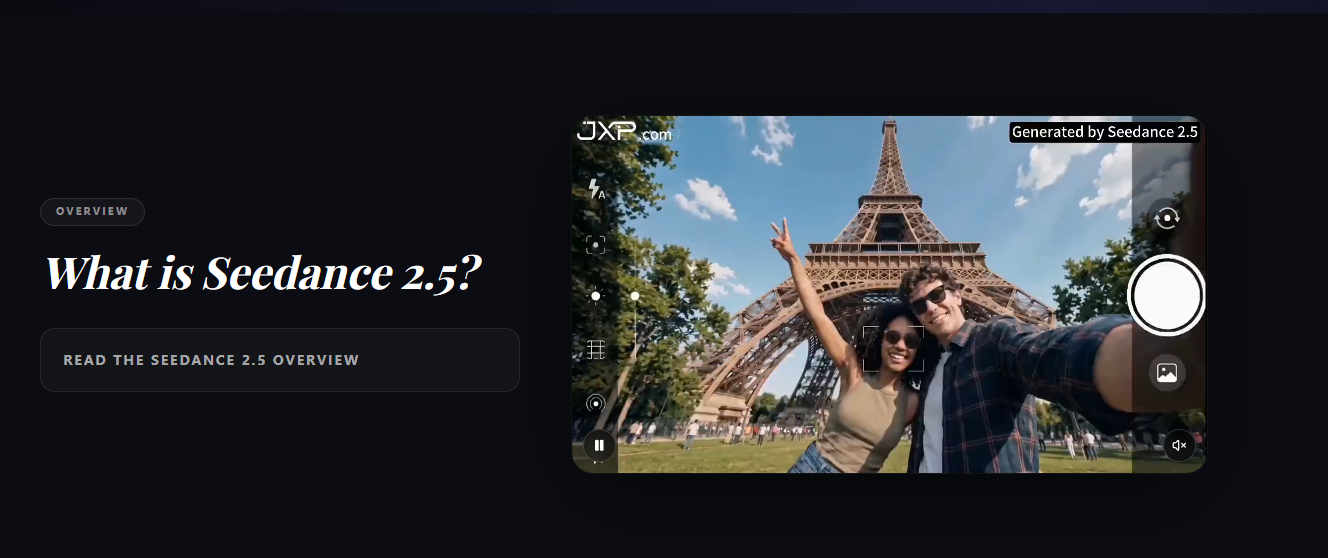
Seedance 2.5 AI Video Generator represents a significant advancement in AI-powered video creation technology. Built for creators who need longer, more controlled video outputs, this tool generates up to 30-second 4K clips in a single continuous shot-eliminating the need for stitching multiple short fragments together. With support for up to 50 multimodal reference inputs and advanced controllable editing features, Seedance 2.5 addresses the core limitations that have frustrated users of earlier AI video generation tools.
The platform targets content creators, marketers, agencies, and educators who require high-quality video drafts with precise control over characters, products, motion styles, and visual aesthetics. By combining extended runtime with rich reference capabilities and post-generation editing, Seedance 2.5 positions itself as a practical production tool rather than just an experimental toy.
Seedance 2.5 delivers several breakthrough capabilities that distinguish it from competitors:
30-Second Seamless Output: Unlike most AI video tools that generate 4-15 second fragments requiring manual stitching, Seedance 2.5 produces complete 30-second clips in one native pass. This enables complete story beats with setup, action, reveal, and conclusion in a single, coherent output-ideal for story beats, product demos, and cinematic sequences.
Richer Reference Inputs: The platform accepts up to 50 multimodal references per generation-including images, videos, and audio files. Characters, products, motion styles, visual aesthetics, and sound can all be anchored before writing the prompt. This is roughly 4× the capacity of previous versions.
Second-Level Scene Control: Direct pacing, camera language, and emotional beats second by second. Seedance 2.5 keeps scene structure stable while you steer tone, action rhythm, and visual style across the full clip.
Advanced Controllable Editing: Keep the strongest parts of a generated scene and refine local details-swap outfits, inpaint objects, restyle environments, or remove unwanted elements without regenerating the entire clip from scratch.
Expanded Multilingual Presentation: Build one continuous shot where language, typography, and locale shift naturally across regions-ideal for global campaigns, localized intros, and multilingual brand storytelling.
Based on the website evidence, Seedance 2.5 serves several professional workflows:
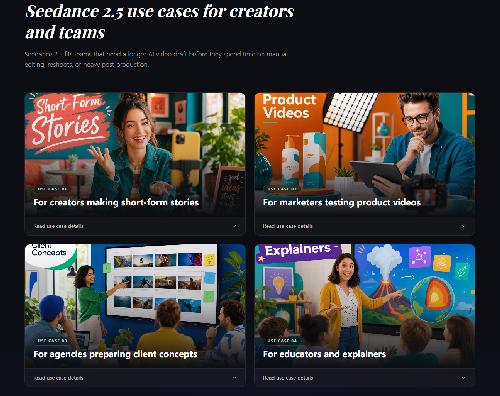
Short-Form Content Creators: For creators producing TikTok, Reels, and Shorts content, the 30-second runtime matches platform-native formats. Story-driven social content benefits from complete narrative arcs without jarring cuts.
Product Marketing: Marketers can turn one product idea into a draft ad, demo, or launch teaser. The 50 reference inputs support matters here because product videos often need the item, logo, color palette, target setting, and style examples to stay on brief.
Agencies Preparing Client Concepts: Agencies can show clients a moving concept before committing to a full production shoot. The value isn't replacing every production step-it's giving the client a clearer draft with enough length to judge pacing and enough edit control to respond to feedback.
Educators and Explainers: Longer AI-generated clips can help explain processes, demonstrate scenes, or introduce topics. Seedance 2.5 moves from static examples to short visual lessons, as long as final outputs are reviewed for accuracy.
Global Brand Campaigns: The multilingual presentation feature enables creation of localized content variations within a single continuous shot, making it ideal for international marketing campaigns.
As of the website evidence, Seedance 2.5 is still in "coming soon" status. Specific pricing details have not been announced. The platform is presented as a preview, with Seedance 2.0 available for currently available generation.
Users interested in Seedance 2.5 should check the release page for exact access, pricing, and region support once the model goes live-expected around early July.
The Seedance 2.5 workflow follows four clear steps:
Write the Scene Prompt: Include subject, setting, camera movement, mood, and action across the clip. Longer 30-second results need clearer sequences than five-second tests.
Add Reference Materials: Upload images, video samples, character references, or brand assets. With 50 reference material support, the strongest workflow uses references to remove guesswork.
Generate and Review: Review output for subject consistency, movement, framing, color, and whether the video tells the full idea. Review the full scene rather than only the first frame.
Edit What Needs Changes: Use the editing workflow for local adjustments when the core result is close-keep the good parts and fix the weak parts.
Support infrastructure includes:
Output Specifications: Up to 30-second continuous clips, 4K resolution, single-shot generation without stitching.
Reference Capabilities: Up to 50 multimodal references including images, video clips, and audio files per generation.
Editing Features: Local adjustments including outfit swapping, object inpainting, environment restyling, and element removal while preserving scene structure.
Multilingual Support: Natural language and typography shifts within continuous shots for global campaigns.
Comparison with Other Models:
Platform Access: Web-based interface with Android app in beta. Currently in preview/coming soon status with expected availability around early July.
Parent Company: JXP COM LIMITED
Pros
Cons
Seedance 2.5 is expected to become available around early July. Check the release page at jxp.com for exact access, pricing, and region support once the model is live.
Seedance 2.5 vs Seedance 2.0 is mainly about longer generation (30 seconds vs 4-15 seconds), more reference input (50 multimodal vs limited), and stronger editing control. Seedance 2.0 remains important for native 4K and 10-bit output in the Seedance model family.
Seedance 2.5 is still in coming soon status, so generation is not open yet. You can preview the features now and return when access is available, or join the release waitlist.
Seedance 2.5 supports up to 50 reference materials across modalities (images, videos, audio), helping complex briefs combine characters, products, styles, backgrounds, and motion references in one request.
Yes, the announced direction includes more controllable video editing, especially local adjustments after generation while preserving the larger scene. You can swap outfits, inpaint objects, or restyle environments without restarting from scratch.
Seedance 2.5 generates up to 30 seconds in a single continuous clip-one shot, one prompt, no stitching.
Seedance 2.5 for marketers is a strong use case when a campaign needs product references, brand style, and longer video drafts. The platform helps create draft ads, demos, and launch teasers. Marketers should still review generated outputs before publishing.
Seedance 2.5 supports 4K video generation with high-quality output suitable for professional use.
The Seedance 2.5 workflow follows four steps: write the scene prompt, add reference materials, generate and review the video, then edit the parts that need changes. This structured approach differentiates it from simple prompt-to-video tools.
Seedance 2.5 represents a maturation point for AI video generation technology. By solving the fundamental problems of runtime limitation and post-generation editability, JXP has created a tool that genuinely competes with traditional production workflows for certain use cases.
The 30-second native runtime, massive reference capacity, and local editing capability combine to address real production pain points-not just generate impressive demos. The platform's focus on longer, more directed video drafts makes it particularly suitable for story-driven content, product marketing, and agency workflows where client feedback and iteration are essential.
However, prospective users should note the current "coming soon" status. While the preview showcases impressive capabilities, production workflows should verify actual availability and pricing once the platform launches around early July.
For creators, marketers, and agencies ready to integrate AI video into professional workflows, Seedance 2.5 merits serious consideration-particularly for rapid prototyping, concept validation, and high-volume content variation where traditional production would be prohibitively expensive or slow. The four-step workflow and extensive reference capabilities suggest a platform designed by people who understand the frustrations of existing AI video tools.
Visit jxp.com/seedance/seedance-2-5 to preview features and check availability.

Emily

The One Startup : Navigate. Build. Grow.

Build Trust with DR Checker

Discover the Best AI Tools & SaaS Solutions
Get your brand featured here
Discover similar products in the same category

Seedance 2.5 online — generate 30-second 4K AI videos with up to 50 multimodal references.

AI wedding speech generator — answer a few questions, get three personalized, fully editable drafts