
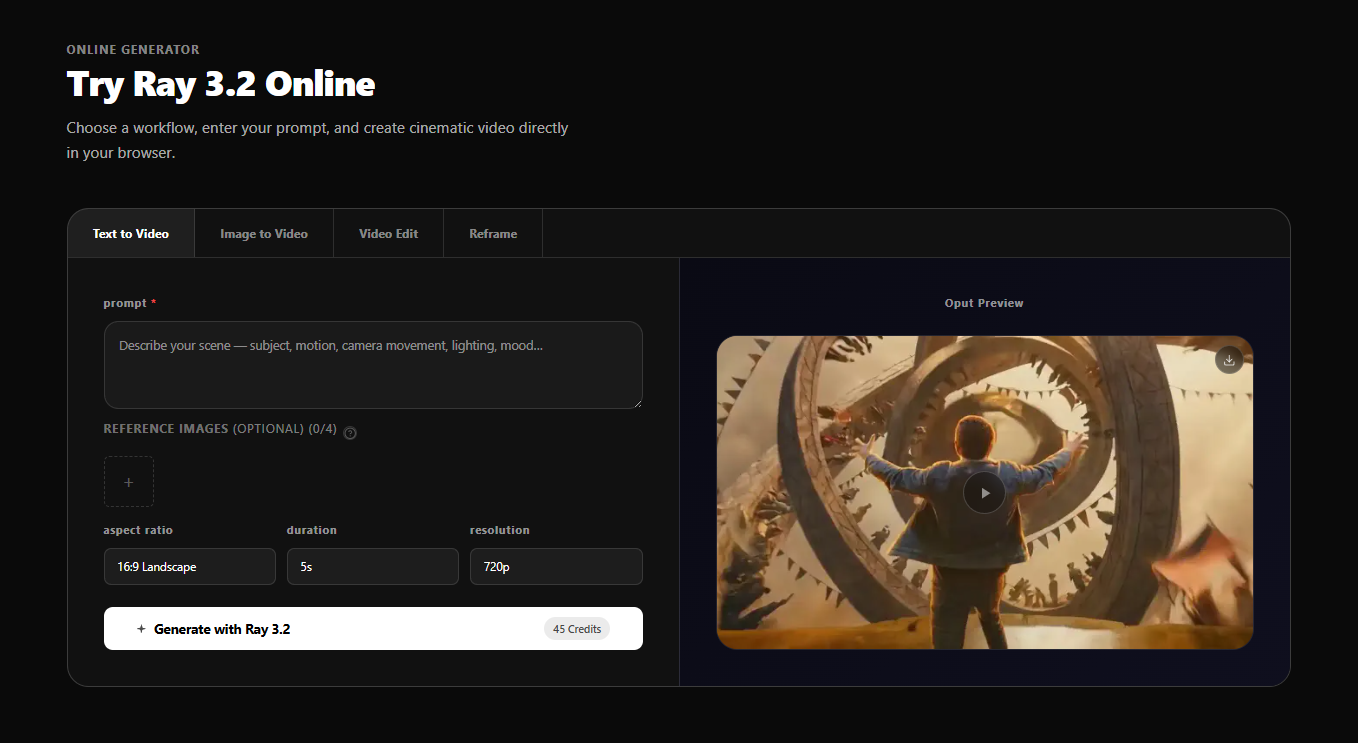
Ray 3.2 is an AI video generation model from Luma AI designed for transforming existing footage into new cinematic variations. Unlike earlier models focused on text-to-video creation, Ray 3.2 centers on video-to-video workflows-taking source clips and modifying them while preserving the original motion, timing, and performance.
The public page positions Ray 3.2 as a production-grade tool for studios, agencies, and post-production teams who need frame-level control over video transformations. With native 1080p HDR output and 16-bit EXR export support, it targets professional pipelines rather than casual creators looking for simple text prompts.
Ray 3.2 serves distinct professional workflows based on the evidence:
Film and Previsualization teams use text-to-video to prototype story beats, test camera angles, and build shot references before committing to full production. The 1080p HDR output provides usable reference material in minutes rather than hours.
Advertising and Brand Video production benefits from the campaign localization features-creating market-specific variants, product swaps, and seasonal adjustments without reshooting. Background replacement and character transformation maintain performance while changing visual elements.
Game and Animation concept artists animate still illustrations and character art to prototype cinematic cutscenes, creature animations, and environmental effects for pitching and pre-production phases.
Social Media Content creators generate short-form vertical clips and platform-native content for TikTok, Reels, and Shorts using the Video Reframing workflow to adapt existing footage to multiple aspect ratios.
VFX and Post-Production teams export HDR renders as 16-bit EXR frames directly into Nuke or DaVinci Resolve without conversion steps, fitting into established compositing workflows.
Agency and Studio Pipelines integrate Ray 3.2 via API to automate video generation at scale for entertainment, fashion, and e-commerce clients requiring high-volume output.
Ray 3.2 uses one-time credit packs with no subscription. Credits never expire and are only deducted on successful generation.
Starter ($9.9): 160 credits for testing workflows. Supports all four modes at 1080p HDR with EXR export and multi-keyframe control.
Pro ($29.9): 580 credits (3.6× Starter value). Includes priority processing speed. Positioned for creators generating regularly who want better per-credit value.
Scale ($49.9): 1,100 credits (6.9× Starter value, marked "Most Popular"). Adds faster priority processing and priority email support. Designed for marketing teams and content pipelines.
Max ($99.9): 3,330 credits (20.8× Starter value). Lowest per-credit cost with fastest priority processing. Intended for high-volume production, campaigns, and daily output at scale.
Credit consumption varies by workflow and resolution, ranging from 3 to 19 credits per second depending on settings. All paid tiers include commercial usage rights.
The workflow follows four steps: select workflow type, write prompt or upload source files, set resolution and duration (540p/720p/1080p, 5s/10s clips), then generate and download as MP4, HDR, or 16-bit EXR.
The interface runs entirely in browser-no downloads or GPU required. Users can validate prompts at lower resolutions before stepping up to final 1080p delivery.
Support scales with tier: Starter users receive standard processing, while Scale and Max tiers include priority email support and faster queue priority. Billing support is available via support@ray32.net. Refunds are available within 7 days if credit usage does not exceed 10% of purchased amount.
Key technical specifications:
Ray 3.2 is positioned as a third-party online tool for Luma AI's model and is not officially affiliated with Luma AI, Inc.
Pros
Cons
Ray 3.2 is Luma AI's video transformation model focused on video-to-video workflows. Unlike text-to-video tools that create from scratch, Ray 3.2 takes existing footage and modifies it while preserving motion, timing, and performance. It offers frame-level control with up to 16 keyframes and exports native 1080p HDR with 16-bit EXR support for professional pipelines.
No. Ray 3.2 runs entirely in your browser-no local downloads, installation, or GPU required. All processing happens on Luma AI's servers. You only need a stable internet connection and a modern web browser to access the tool.
Ray 3.2 uses one-time credit packs rather than subscriptions. Credits are consumed per second of generated video, with rates varying by workflow and resolution (3-19 credits per second). Credits never expire and are only deducted when generation completes successfully. You can purchase additional packs anytime-new credits add to your existing balance.
Yes. All paid credit packs include commercial usage rights for successfully generated videos. You can use outputs in advertisements, client work, social campaigns, and business projects under the platform's terms of service.
Text-to-Video generates clips from detailed scene descriptions. Image-to-Video animates still images while preserving visual identity. Video Edit transforms existing footage while keeping original motion and performance intact. Video Reframing changes aspect ratios without cropping, filling new canvas areas with scene-consistent content.
Ray 3 is the base reasoning-driven model for multi-modal video generation. Ray 3.14 offers faster, cheaper generation with Modify Video support. Ray 3.2 is specifically built for production video-to-video workflows with frame-level control, 16-keyframe support, and API access. Ray 3.2 is recommended when you have existing footage to remix rather than creating from scratch.
You can download watermark-free MP4 files or export 16-bit EXR frames in ACES2065-1 color space. The EXR export is designed for direct import into Nuke, DaVinci Resolve, and other VFX compositing tools without conversion steps.
Ray 3.2 fills a specific niche in AI video generation: professional video-to-video transformation with production-grade output controls. It's not a casual creative tool-it's built for studios, agencies, and post-production teams who need to modify existing footage while preserving performance and integrating into established VFX pipelines.
The frame-level keyframe control and native EXR export distinguish it from consumer-focused alternatives. However, the credit-based pricing and learning curve make it less suitable for occasional users or simple text-to-video needs. For teams already working with professional video workflows, Ray 3.2 offers a viable path to AI-assisted content variation without rebuilding shots from scratch.
Users should evaluate their volume needs carefully-higher tiers provide significantly better per-credit value for regular production work, while the Starter pack suffices for testing and occasional use.

Leo poppy

The One Startup : Navigate. Build. Grow.

Build Trust with DR Checker

Discover the Best AI Tools & SaaS Solutions
Get your brand featured here
Discover similar products in the same category

All-in-one toolkit: calculator, converter, compass, flashlight, notes, random generator – offline, c

Best-TempMail.com delivers secure, reliable temporary inboxes with SPF, DMARC, TLS, QR access, and p

Seed Audio 1.0 is ByteDance Seed's all-in-one audio generation model for creating complete sound sce