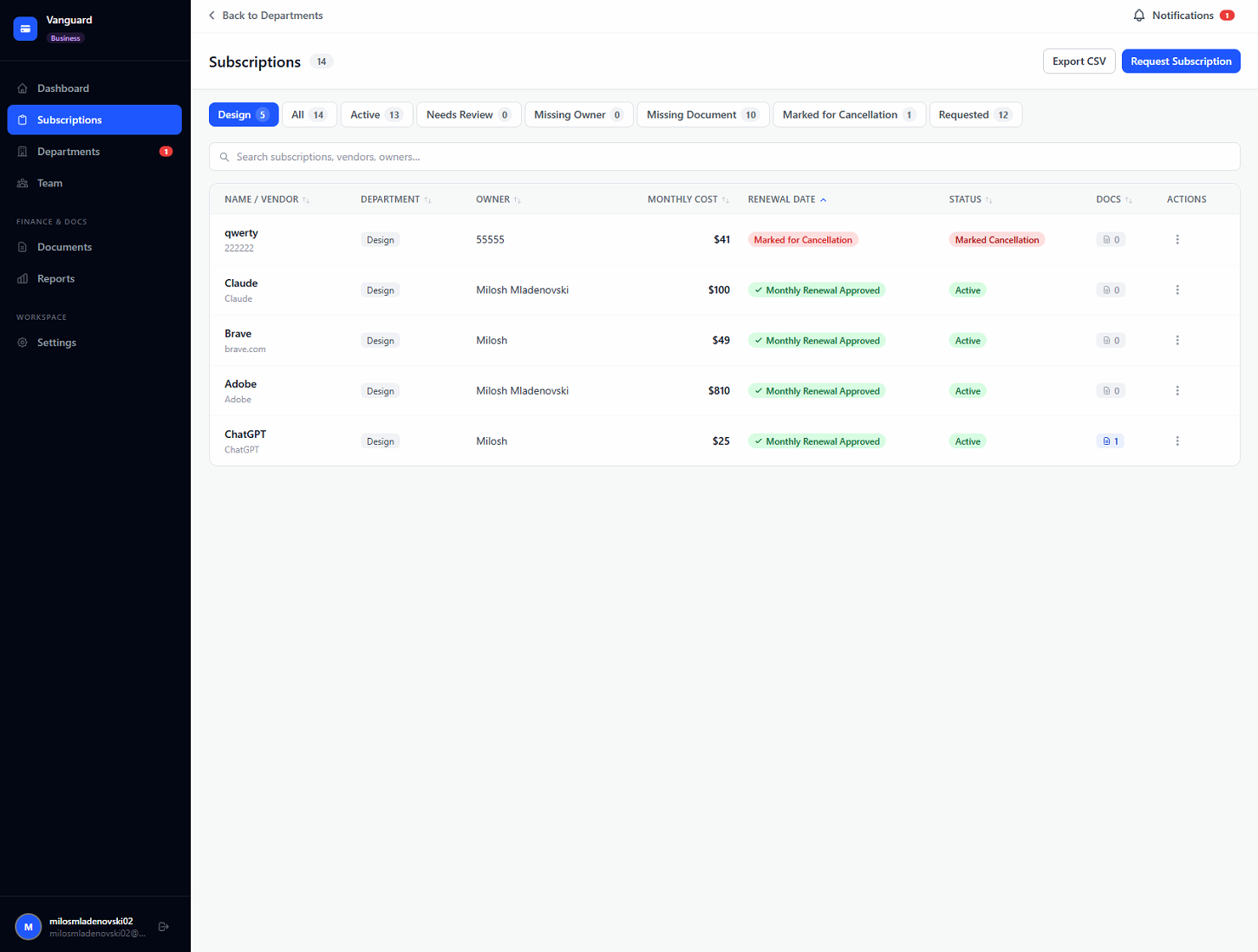
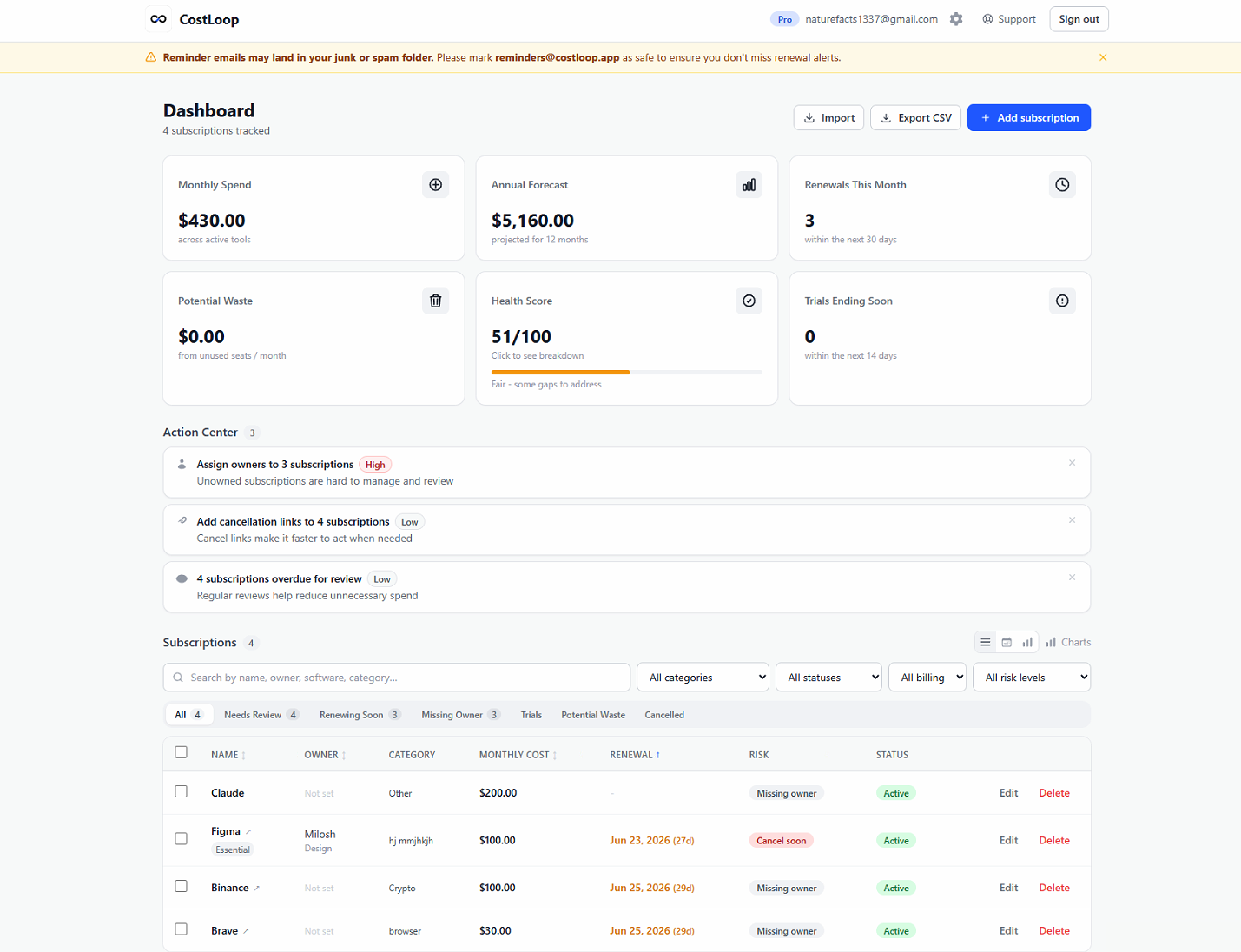

CostLoop is a subscription management app built for small businesses, freelancers, and startup teams that need a clear view of their recurring software costs. Founded in Oslo, Norway by Milosh Mladenovski and Aleksandar Antevski after they lost money to forgotten SaaS renewals, the tool takes a deliberately manual approach - no bank connections, no financial credentials, just a straightforward tracker for every subscription, license, cancellation link, and renewal date. For businesses that have watched auto-renewals slip through unnoticed, CostLoop offers a focused alternative to spreadsheets and enterprise expense platforms.
Small businesses juggling dozens of SaaS tools often have no single view of what they spend. Invoices scatter across inboxes and Dropbox folders, renewal dates live nowhere, and nobody owns the decision to keep or cancel a tool. CostLoop addresses this directly by giving every subscription a name, cost, owner, and renewal date in one place.
Freelancers who pay for design tools, hosting, accounting software, and project management apps out of pocket can see their true monthly cost at a glance. The site highlights one user who discovered she was spending nearly $600/month on tools and cut it to $340 after adding everything to CostLoop.
Startup teams scaling quickly can assign owners to every tool and flag subscriptions nobody uses anymore. The health score and duplicate tool detection make it easy to spot waste without auditing each subscription individually. The Business plan adds a request-and-approval workflow, so team members can request new subscriptions and admins can approve or deny before the cost appears on the statement.
CostLoop offers three plans with no annual lock-in and the option to save 17% by switching to yearly billing:
Upgrades take effect immediately; downgrades apply at the end of the current billing period. Pro and Business can be cancelled at any time. See the pricing page for full plan details.
CostLoop is designed for quick setup - the site claims you can add your subscriptions in about five minutes with no integrations to configure and no IT tickets to file. The four-step flow is simple: add subscriptions, get automatic insights, store links and documents, and act on renewal alerts.
Support is available via email at hello@costloop.app, with a stated response time of one business day. Billing inquiries go to a separate address (billing@costloop.app). The contact page also includes a form for general questions, technical issues, and privacy/data requests. Priority support is included with Pro and Business plans.
The company publishes practical blog guides - including a subscription audit checklist and tips for avoiding forgotten SaaS renewals - which doubles as self-help content for new users.
CostLoop runs on Supabase for authentication and data storage, Stripe for payment processing, and Resend for email delivery. The company publishes its full subprocessor list on its site. The app supports 10 currencies (USD, EUR, GBP, NOK, SEK, DKK, CAD, AUD, CHF, JPY) and seven languages (English, Spanish, German, French, Norwegian, Swedish, Danish). There are no bank integrations - subscriptions are added manually, which the company frames as a privacy advantage. CSV import and export ensure data portability without vendor lock-in. CostLoop is operated by Antevski ENK (Org. No. 934 334 507), registered in Oslo, Norway.
Pros
Cons
CostLoop is a subscription management app that helps small businesses, freelancers, and startup teams track recurring software costs, renewal dates, cancellation links, and license details. It is built for teams that currently manage subscriptions in spreadsheets or not at all.
No. CostLoop is fully manual - you add subscriptions yourself. There are no bank integrations or read access to your financial accounts. This keeps things private and avoids the security concerns that come with linking financial credentials.
A spreadsheet does not email you before a renewal, calculate a health score, detect duplicate tools, flag unused seats, or store cancellation links and documents alongside each record. CostLoop automates all of these without requiring formula work.
The health score (0-100) summarizes how well-managed your subscription portfolio is. It surfaces unused seats, duplicate tools, and trial subscriptions that are about to convert to paid - giving you a quick way to identify waste.
Yes. The Free plan lets you track one subscription at no cost, with no credit card required. When you need unlimited subscriptions and features like the health score, savings panel, and CSV import, you can upgrade to Pro for $9/month.
CostLoop supports 10 currencies (USD, EUR, GBP, NOK, SEK, DKK, CAD, AUD, CHF, JPY) and is available in English, Spanish, German, French, Norwegian, Swedish, and Danish.
You can cancel from your account settings at any time. Access continues until the end of your current billing period, and there are no cancellation fees.
CostLoop takes a focused, privacy-conscious approach to a problem most small businesses ignore until it costs them money - forgotten auto-renewals, unused seats, and scattered subscription records. The manual-entry model means no bank connections to set up and no financial credentials to share, but it also means you need to identify and enter subscriptions yourself. For teams that want renewal alerts, a health score, and a single view of recurring costs without the overhead of an enterprise expense platform, CostLoop is a practical, low-friction option. The free plan makes it easy to test the workflow before committing.
Miloš Čech

Build Trust with DR Checker
Discover the Best AI Tools & SaaS Solutions
The One Startup : Navigate. Build. Grow.

Get your brand featured here
Discover similar products in the same category

## Introduction Honeyb is AI visibility software built for Answer Engine Optimization - the practice of monitoring and improving how brands appear in AI-generated answers. The platform tracks brand mentions, recommendation share, sentiment, and citation sources across eight AI engines (ChatGPT, Gemini, Claude, Perplexity, Google AI Mode, Google AI Overviews, Microsoft Copilot, and Grok) and delivers daily visibility scores with weekly recommendations. The core insight on the site is direct: when a buyer asks an AI for the best tool or vendor, the answer is a shortlist of three to five names, and there is no second page to climb. Honeyb gives marketing teams a way to see which shortlist they are on - and which ones they are not. ## Key Features - **AI Visibility Score** - a daily percentage showing how often the brand appears in AI answers, tracked against competitors over 7-day, 30-day, and 90-day windows - **Topic Performance** - visibility broken down by topic category (e.g., project management, team collaboration), showing where the brand appears and where it does not - **Citation Source Tracking** - domain-level breakdown of which sources (G2, Forbes, Reddit, Product Hunt, etc.) the AI models cite when mentioning the brand - **Sentiment and Risk Monitoring** - tracks whether AI mentions are positive, neutral, or negative, and flags emerging risks - **Competitor Benchmarking** - compare visibility and recommendation share against named competitors in each workspace - **Honeyb Recommendations** - weekly actionable suggestions on content, sources, and PR moves, ranked by estimated impact - **Workspace Organization** - group tracking by brand, product line, audience, market, or language, with separate competitors and citations per workspace - **Free AI Visibility Check** - enter a domain and get an instant visibility report across AI platforms without signing up ## Use Cases SEO and content teams can use Honeyb to understand which topics and source citations drive AI recommendations in their category, then adjust their content and PR strategy to improve visibility. The citation source breakdown shows whether review sites, editorial coverage, or forum mentions are doing the most work - which directly informs where to invest outreach effort. PR and brand teams tracking reputation across AI engines can monitor sentiment and risk signals daily, catching negative mentions or competitive displacement early. Because AI answers are concise and influential - the site notes that AI typically returns three to five names - a brand that disappears from the shortlist effectively ceases to exist for that buyer query. Global brands operating across multiple markets and languages can use workspaces to track visibility per region or product line, with separate competitor sets and citation tracking for each. The Full Spectrum and Enterprise tiers support multi-brand, multi-market, and multi-language monitoring in a single account. ## Pricing Honeyb offers four tiers with monthly or annual billing (20% discount on annual): - **The Minimum** - $29/month: 10 prompts daily, 1 AI engine of choice, 1 workspace, 1 seat, competitor tracking, citation tracking, Honeyb Recommendations, weekly email report, email support (no free trial) - **Multi-Model** - $79/month: 50 prompts daily, 3 engines of choice, up to 5 workspaces, unlimited seats, multi-brand/multi-market/multi-language tracking, 14-day free trial - **Full Spectrum** - $149/month: 100 prompts daily, all 8 engines (including Google AI Mode and AI Overviews), up to 10 workspaces, unlimited seats, monthly 30-minute visibility review with the Honeyb team, priority support, 14-day free trial - **Enterprise** - custom pricing: custom prompt volume (fair-use), all 8 engines plus new models on launch, unlimited workspaces and seats, custom prompt strategies built with the Honeyb team, white-label reporting, API access, SSO/SAML, audit logs, quarterly business review, dedicated account manager, dedicated Slack channel, priority onboarding The [pricing page](https://www.honeyb.ai/pricing) has full details and a plan-comparison table. ## User Experience and Support The dashboard centers on an AI Health Report with four panels: visibility score and trend, topic performance, top citation sources, and sentiment and risks. Users set up tracking in five steps: add prompts (the questions buyers ask), add competitors, choose AI models to track, view the daily visibility score, and act on weekly recommendations. Support varies by tier: email support on The Minimum and Multi-Model, priority support with monthly 30-minute reviews on Full Spectrum, and a dedicated Slack channel with account manager on Enterprise. All paid tiers above The Minimum include a 14-day free trial. The company is registered in Latvia (SIA Honeyb, Reg. Nr. 40203724531). ## Technical Details Honeyb runs as a web platform. It tracks eight AI engines: ChatGPT, Google AI Mode, Google AI Overviews, Microsoft Copilot, Perplexity, Gemini, Grok, and Claude. Workspaces organize tracking by brand, product line, audience, market, or language, with a minimum of 10 prompts per workspace. The Enterprise tier adds API access, SSO/SAML authentication, audit logs, and white-label reporting. The site mentions Slack integration for the Enterprise tier's dedicated channel. No browser extension or CMS plugin is listed. ## Pros and Cons **Pros** - Addresses a real gap: most marketing teams cannot see what AI models tell buyers about their brand - Tracks eight AI engines including Google AI Mode and AI Overviews, which are emerging search surfaces - Citation source breakdown shows exactly which external content drives AI recommendations - Workspace model supports multi-brand, multi-market, and multi-language tracking - Free visibility check requires no sign-up, lowering the barrier to first insight - Weekly recommendations turn monitoring data into actionable next steps **Cons** - The Minimum tier has no free trial, which may discourage testing at the entry level - Prompt-based tracking means users must define the questions to monitor; coverage depends on prompt quality - Pricing starts at $29/month for a single engine, which may feel steep for small brands testing one model - Enterprise pricing is not publicly listed ## FAQ ### What is Honeyb and what problem does it solve? Honeyb is AI visibility software for Answer Engine Optimization. It tracks how brands appear in AI-generated answers across ChatGPT, Gemini, Claude, Perplexity, and other AI engines. The problem it addresses: when buyers ask AI for recommendations, the answer is a shortlist of three to five names, and brands that do not appear effectively do not exist for that query. ### How does Honeyb differ from traditional SEO tools? Traditional SEO tools track rankings in search engine result pages with ten blue links. Honeyb tracks visibility in AI-generated answers, which return a small set of names rather than a ranked list. The site FAQ addresses this comparison directly. ### What is a workspace in Honeyb? A workspace is a grouping for tracking - one per brand, product line, audience, market, or language. Each workspace has its own competitors, citations, and recommendations. The minimum is 10 prompts per workspace. ### Does Honeyb offer a free trial? The Minimum tier does not include a free trial. Multi-Model, Full Spectrum, and Enterprise all include a 14-day free trial. There is also a free AI visibility check that does not require sign-up. ### What AI engines does Honeyb track? Honeyb tracks eight engines: ChatGPT, Google AI Mode, Google AI Overviews, Microsoft Copilot, Perplexity, Gemini, Grok, and Claude. The Minimum tier covers one engine, Multi-Model covers three, and Full Spectrum and Enterprise cover all eight. ### Can I switch tiers later? Yes. The site FAQ confirms that users can switch between tiers as their monitoring needs change. ## Conclusion Honeyb targets a problem that most marketing teams have not yet instrumented: understanding what AI models tell buyers about their brand. The daily visibility score, citation source breakdown, and weekly recommendations turn an invisible channel into a measurable one. The free visibility check is a practical entry point, and the workspace model scales from a single-engine monitor to multi-brand, multi-market tracking. For teams that want to see - and improve - their position in AI-generated answers, the [Honeyb site](https://www.honeyb.ai/) is the place to start.

Invisible desktop teleprompter for screen sharing, recordings, Zoom calls, and live demos.