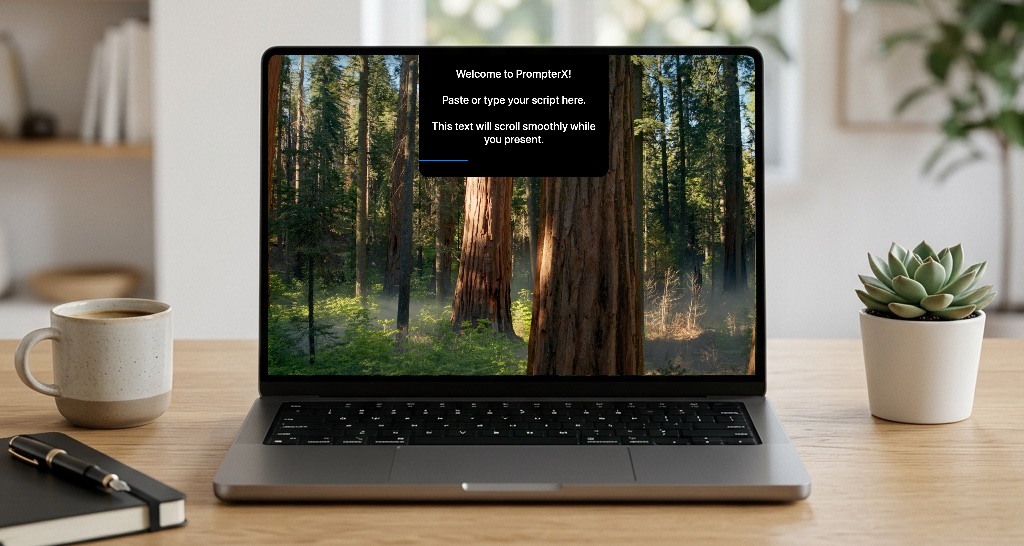

PrompterX is a macOS teleprompter app that places scripts near the camera-in the notch or top screen edge-and scrolls with your voice using VoiceSync. It targets presenters and creators who use Zoom, Teams, Keynote, OBS, or Loom and want prompts that stay visible locally while marketing claims they remain hidden from shared captures. Test invisibility on your Mac model and meeting stack before a high-stakes call.
Sales and professionals use invisible prompting on video calls. Trainers run workshops, webinars, and coaching with structured scripts without losing flow. YouTube, podcast, and stream creators read lines while keeping the prompter near the camera line.
Daily standups, tutorials, and keynotes are named on the homepage. The app is Mac-only in fetched material-not a cross-platform web teleprompter.
The pricing section shows a 7 Days Trial at €0 with no credit card and full Pro features during trial. List items also mention one-time payment (no subscriptions), lifetime updates, and priority support; the exact euro price for the paid license was truncated in fetch-confirm on the live Pricing page before purchase. "Download for free" appears alongside trial language.
Workflow is described as open app, paste text, speak. Documentation covers installation, VoiceSync, transparency, section markers, interface HUD, and cloud sync. Priority support is tied to the paid package. User quotes on the page cite fewer retakes and Zoom invisibility for sales. Indie development support messaging appears near pricing.
Built in Swift for macOS, with localized AI referenced for pacing and eye-contact optimization. Works offline without internet for script privacy on device. Compatible apps named include Zoom, Teams, Google Meet, Loom, Keynote, OBS, and YouTube workflows. Notch placement depends on Mac hardware; machines without a notch use top-center edge per docs.
Pros
Cons
PrompterX is a Mac teleprompter that sits near the camera and uses VoiceSync to scroll scripts with your speaking pace.
The site and docs focus on macOS and Swift; Windows is not listed in the fetched material.
Marketing states the prompt is hidden from Zoom, Teams, OBS, and screenshots while visible to you-verify with your setup.
The site says no internet is required and scripts stay on your device for the offline-native positioning.
Yes-a 7-day €0 trial with full Pro features and no credit card is advertised.
VoiceSync listens to your voice and adjusts scroll speed automatically instead of relying only on manual speed controls.
Confirm one-time price, Cloud Sync behavior, notch compatibility on your Mac, and invisibility during your actual screen-share or recording pipeline.
PrompterX combines notch-adjacent prompting, voice-synced scroll, and invisibility messaging for Mac-based video communication. Start the free trial from prompterx.app, rehearse with your real call or OBS setup, then confirm pricing before committing to the one-time license.

Discover the Best AI Tools & SaaS Solutions

The One Startup : Navigate. Build. Grow.

Build Trust with DR Checker
Get your brand featured here
Discover similar products in the same category

Browser-based pharmacy-operations software for retail counters, receiving, stock batches and expiry

CrawlHunt finds and fixes SEO issues, improves site speed, and boosts search visibility with AI.