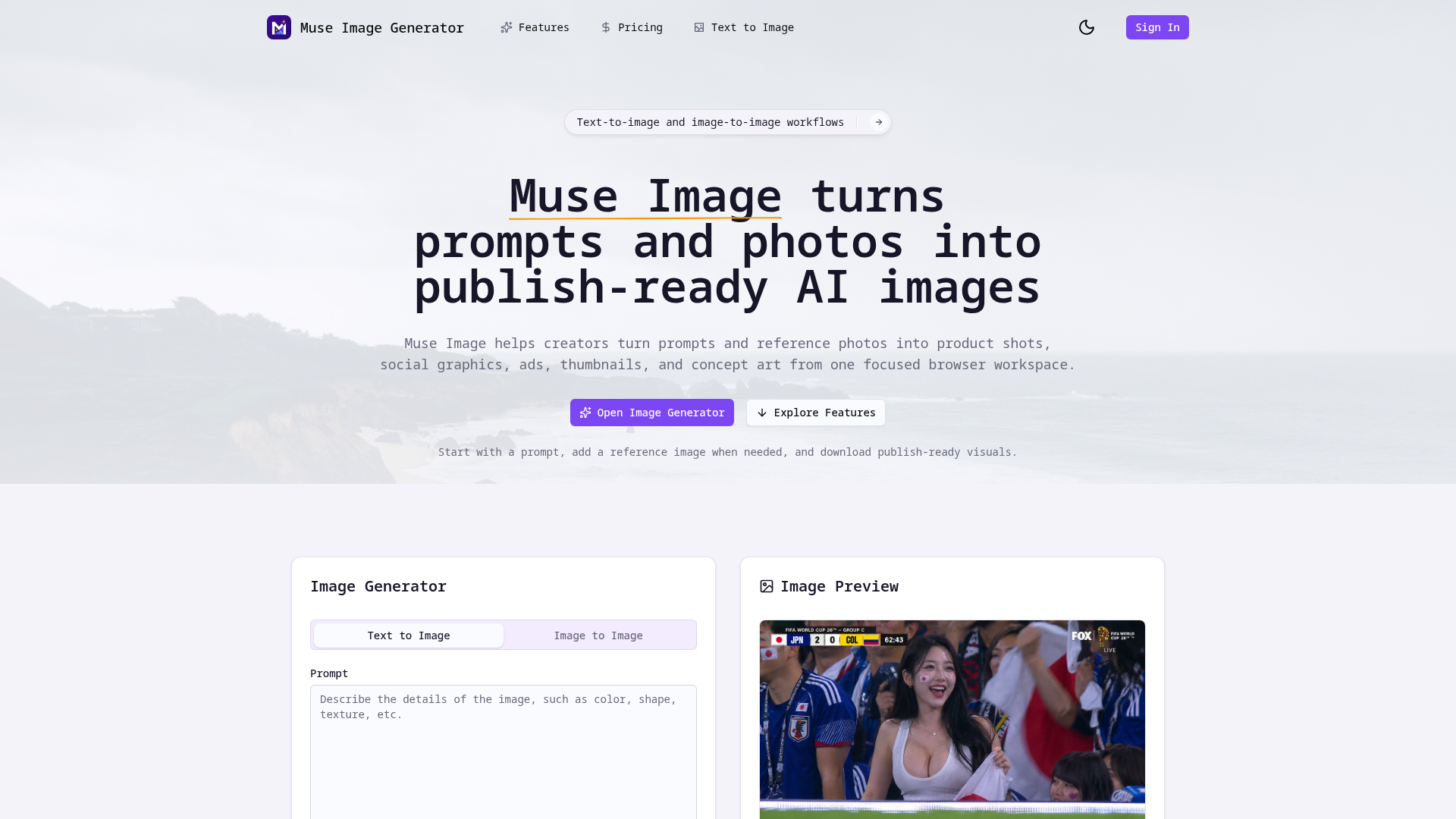

Muse Image is a browser-based AI image generator that converts text prompts and authorized reference photos into publish-ready visuals. The platform targets creators who need product shots, social graphics, ad concepts, thumbnails, and concept art without switching between multiple tools. It operates as an independent interface that provides access to supported third-party AI image services, keeping the entire workflow - from prompt writing to download - in a single workspace.
The product emphasizes practical output over experimental generation. Rather than treating AI image creation as a random process, Muse Image structures the workflow around four steps: writing the creative intent, adding reference material, generating and comparing variations, and downloading the finished asset. This approach is designed for founders, marketers, designers, and content creators who need visual options that move directly into campaigns, product pages, or presentations.
A founder preparing a product launch can use Muse Image to generate hero visuals for a landing page by combining a text description with a product reference photo. The comparison workflow lets them test different compositions and lighting directions before settling on the final image for the page.
Marketing teams producing ad campaigns across multiple channels can generate batch variations for social posts, email headers, and display ads from a single creative brief. The reference-led approach helps maintain visual consistency across a campaign while still allowing exploration of different styles and moods. Designers working on pitch decks or client presentations benefit from the ability to iterate on concept art without leaving the browser-based workspace.
Muse Image offers three subscription tiers and a credit pack option. The Starter plan costs $9 per month and includes 600 generation credits, reference image uploads, commercial use rights, private generation history, and standard queue speed. The Creator plan at $29 per month provides 1,933 credits, HD image exports and upscales, brand-safe prompt presets, batch variations, saved prompt presets, and priority queue speed. The Studio plan at $79 per month offers 5,266 credits, advanced controls for brand-consistent outputs, higher-resolution exports, fastest queue speed, team-ready asset history, and priority support. Annual billing saves 20%, and credit packs are available as an alternative to monthly subscriptions.
Muse Image is designed as a focused browser workspace where all creative assets live together - the prompt, reference image, generated preview, and downloadable output. The interface avoids the complexity of standalone design tools while keeping enough control for meaningful creative direction. Priority support is available on the Studio plan, and the platform provides privacy policy, terms of service, and acceptable use policy documentation. The contact email support@aimuseimage.com is listed for inquiries.
Muse Image operates as a web-based application accessible from modern browsers without software installation. The platform supports text-to-image and image-to-image generation with configurable quality settings (Basic and High). Aspect ratio options include 3:2 and other formats. The generator uses a model referred to as Muse v1.0. Reference images are processed within the platform's workspace, and finished images can be exported at various quality levels depending on the subscription tier. The product positions itself as independent from the underlying AI services it interfaces with, providing its own layer of prompt management, comparison tools, and asset organization.
Pros
Cons
Muse Image is a browser-based AI image workspace that combines text-to-image and image-to-image generation with prompt management, reference comparison, and download capabilities in a single interface. Unlike standalone generators that focus on output alone, it structures the workflow around the full creative process - from brief to finished asset.
The platform appears designed for founders, marketers, solo operators, and small teams who need publish-ready visuals for product pages, ad campaigns, social content, and presentations. The Starter and Creator plans target individual creators, while the Studio plan supports team-based production workflows.
You can upload images you own or are authorized to use. References guide product shape, composition, materials, and visual style. The platform's terms prohibit using references for face manipulation, identity recreation, or copying protected brand assets.
Each generation consumes credits from your monthly or pack allowance. The number of credits per generation may vary by quality setting and mode. Exact credit costs per generation are not prominently detailed in the fetched evidence, so confirming consumption rates within the app would help with budgeting.
Yes. Commercial use for exported images is included across all subscription plans, from Starter through Studio. This covers product listings, ad campaigns, presentations, and other professional use cases.
Based on the fetched evidence, no API access or design tool integrations (such as Figma or Adobe plugins) are mentioned. The platform operates as a standalone browser workspace.
Priority support is included with the Studio plan. For other plans, the platform lists a contact email (support@aimuseimage.com) and provides privacy policy, terms of service, and acceptable use policy documentation. The depth of self-service resources beyond these policies is not fully visible from the fetched pages.
Muse Image addresses a practical need in the AI image generation space: a structured workflow that takes creators from prompt writing to downloadable, publish-ready visuals without requiring multiple tools. The reference-led approach and comparison workflow add genuine value for users who need consistency and iteration in their visual output. The three-tier pricing model covers individual creators through small teams, and commercial use rights are included by default. Before committing, it would be worth testing the generator with your specific use case to confirm output quality and understanding how credits consume for your typical generation types.

yi shen

The One Startup : Navigate. Build. Grow.

Build Trust with DR Checker

Discover the Best AI Tools & SaaS Solutions
Get your brand featured here
Discover similar products in the same category
Beat artist's block instantly with randomized, multi-category drawing prompts and AI inspiration.